
I’ve recently started a new project implementing a voxel system in Unreal Engine 5. My motivation for this is both to improve my understanding of Unreal and as something I could use to make my own game with.
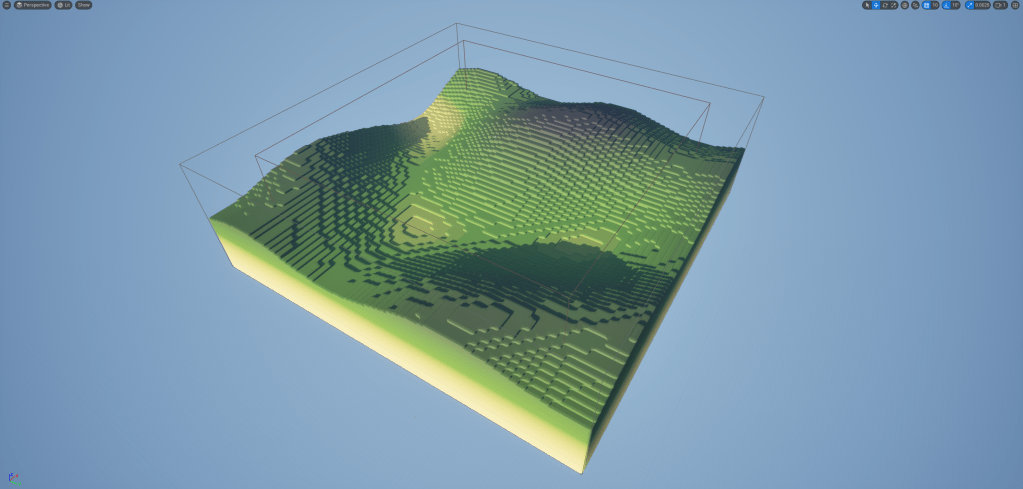
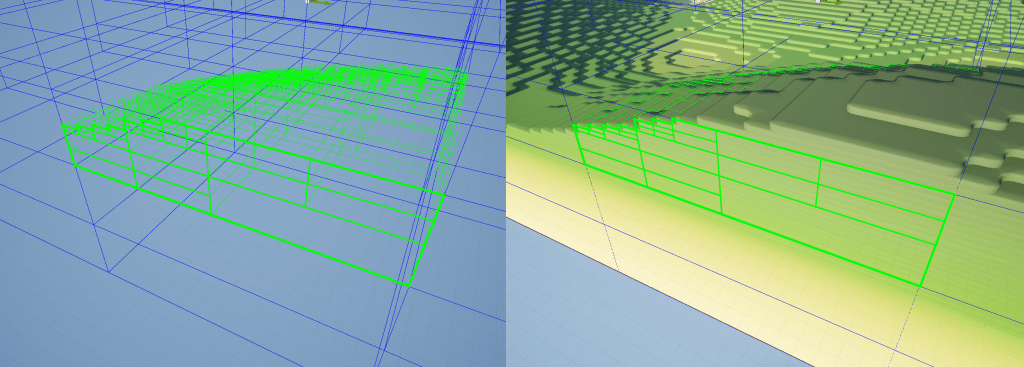
I’ve built this essentially in two parts, the voxel data, and the visual representation of it. The voxel data is stored in a tree structure where each node can either have a value or be subdivided in order to hold children nodes that represent areas of greater detail. This isn’t strictly an oct tree as it supports any number of child nodes rather than it always being 8, though it can be setup that way. I’ve built these systems to be flexible, you can set the size of the individual voxels, how many children each node can have, how many levels of child nodes there can be, and you can separately set a height scale so that the voxels can be flattened or stretched.
Here is an example where it is setup as an oct tree (with 8 child nodes when subdivided) and the height of a single voxel is 1/4 that of its width.
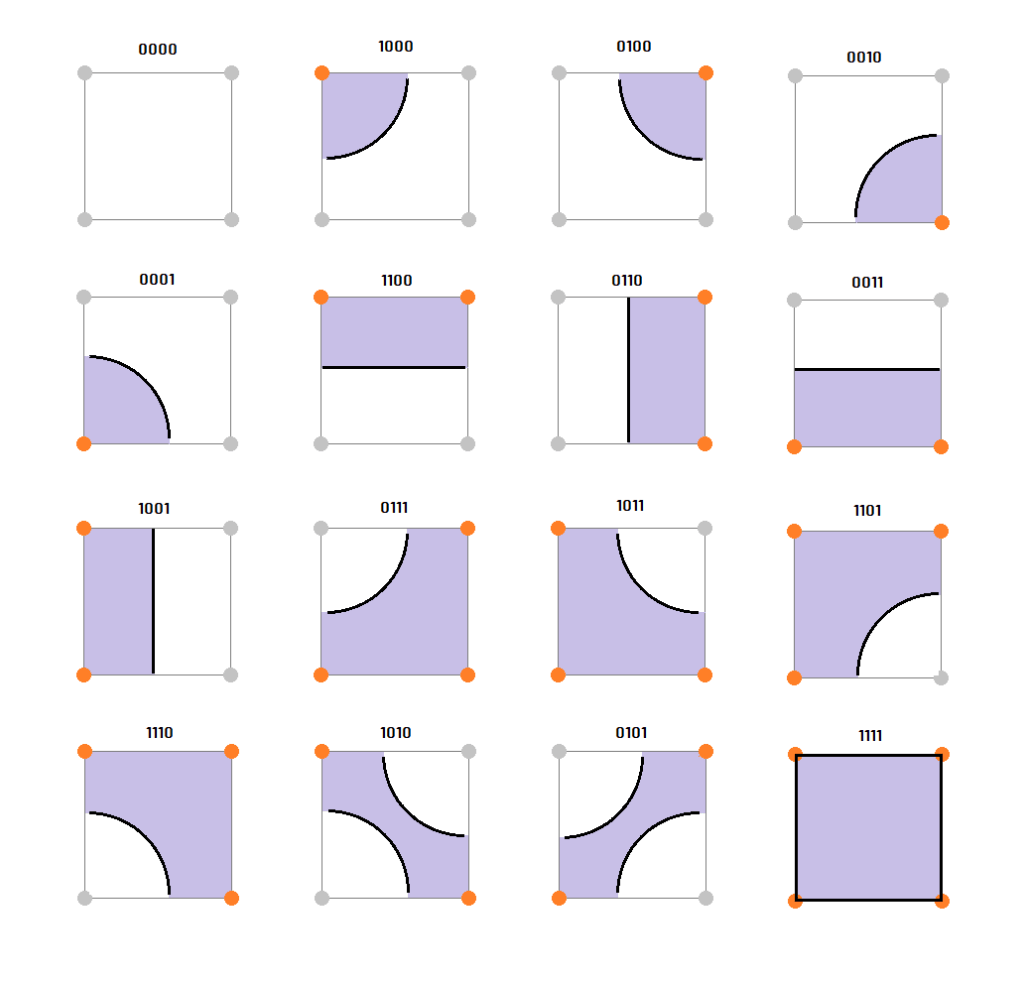
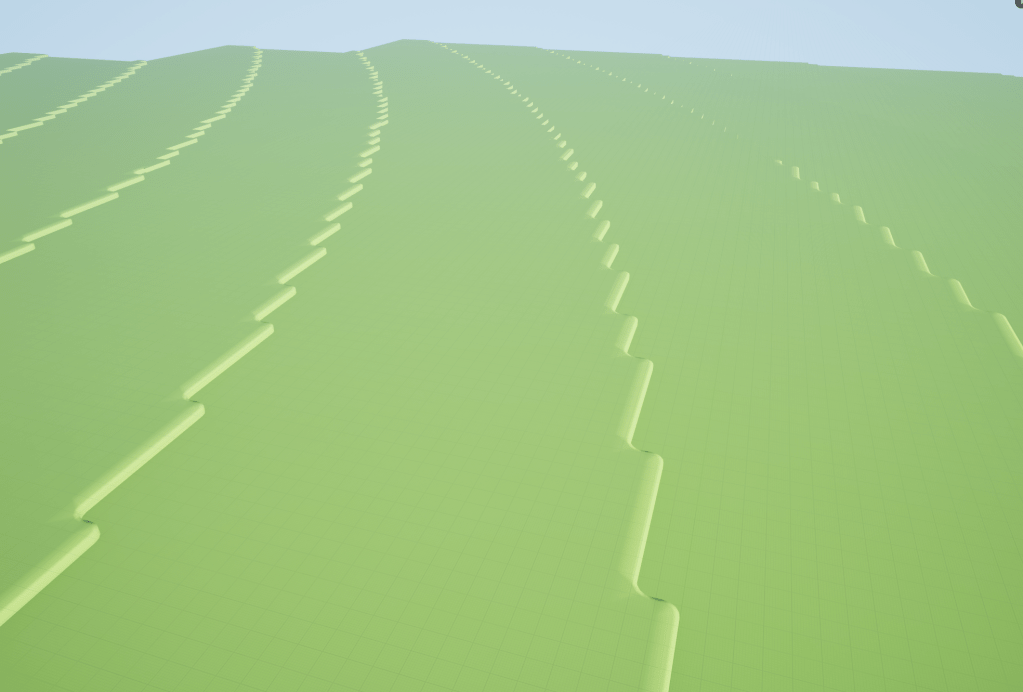
For the visuals I’m using a variation of the marching cubes algorithm. Being voxels you can simply place a cube in each of the filled locations but I wanted something a bit more detailed. However the standard marching cubes look isn’t what I was aiming for either. So instead I’m using a similar method that samples in a square around each voxel corner to find the shape I want. This allows me to generate voxels with rounded edges which when combined with the flattened height gives the effect of the landscape being built with layers. The below image shows how a shape flag is constructed by sampling 4 voxels (around the corners of a square) which is then used to select and instantiate the mesh that best represents the surface of the voxel field.
For a system like this optimisation is incredibly important. It needs to be able to generate massive worlds without requiring huge amounts of memory. It also needs to be able to generate landscape or voxel chunks at runtime without a big drop in frame rate. Using a tree structure can make a big difference to the amount of memory that is required. Instead of each individual voxel needing to be stored in memory, a tree structure can instead use the same amount of data of a single voxel for a large chunk if all the voxels within that chunk have the same value. So when the landscape is mostly all ground or mostly all air with some detailed surface in the middle you can save on a large amount of memory by having most of that space defined in large chunks subdividing only when more detail is required. As for runtime generation and frame rates the main approach I’m taking is to perform as much concurrently as possible and to spread out the generation of chunks and voxels across multiple frames. Fortunately it’s relatively easy to use multithreading in Unreal using the tasks system, which makes it easy to run multiple tasks concurrently and is great for functions that run the same operations multiple times across different data independently, like generating a voxel landscape. Another optimisation technique I’m using is to have a lower LOD version of the visual representation of the landscape. When a chunk is far away I generate the landscape using simple blocks so that each ground node can just be a single cube. Then for chunks that are closer to the camera I switch to using the higher detailed meshes. This reduces both the poly count and the number of individual meshes needed to represent the landscape to a much lower number compared to only using the more complex version.
So far my voxel implementation runs fairly well even at very large sizes, the initial generation is slow but after that you can move around the world with chunks being generated on the fly without the frame rate dropping. The one major issue I have come across is that the navmesh generation is very slow for something like this. Every time a single voxel changes or a whole new chunk is generated the navmesh needs to rebuild. With this happening frequently in a voxel game and the with the voxel generation happening across frames the navmesh ends up being regenerated in some cases every frame and for a large world that can cause the frame rate to plummet. I’ve yet to figure out a good solution for this but my next step is to do a deep dive into the Recast library that Unreal uses to generate the navmesh and potentially build a custom solution that will allow me to create the navmesh myself in a way that is much more optimised for this use case.
 Craig Richardson
Leave a comment