-
I’ve recently started a new project implementing a voxel system in Unreal Engine 5. My motivation for this is both to improve my understanding of Unreal and as something I could use to make my own game with.
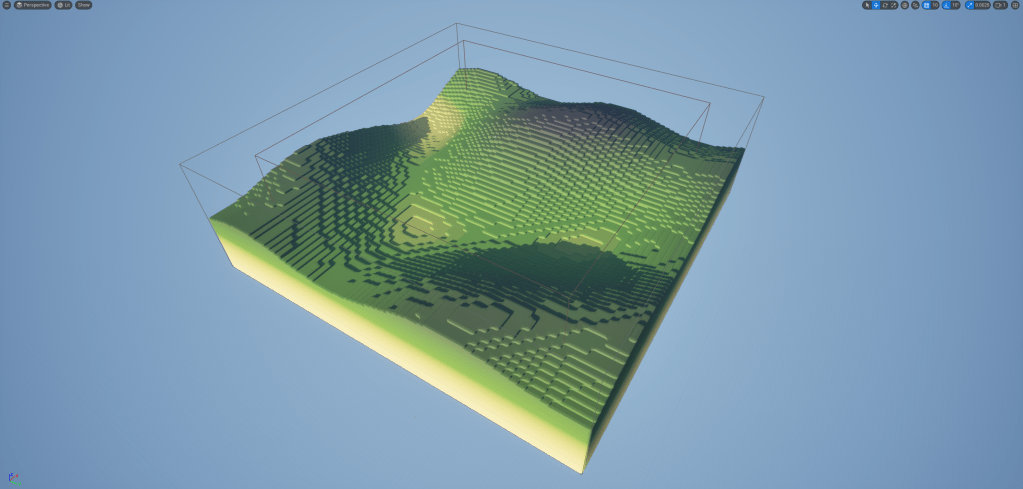
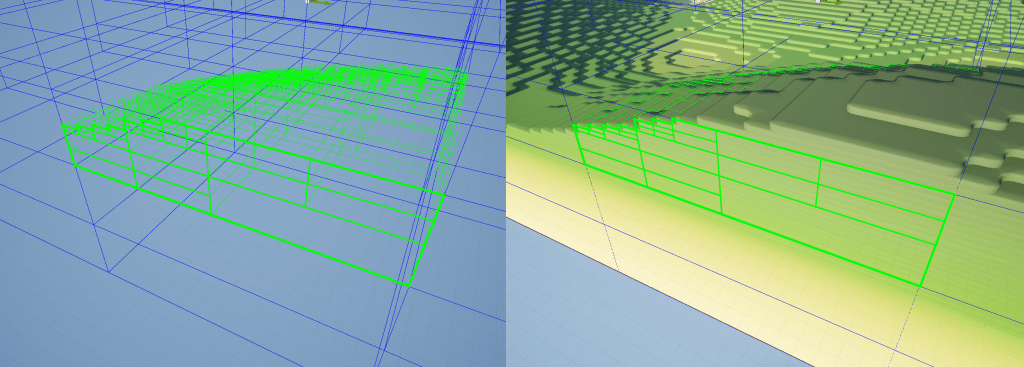
I’ve built this essentially in two parts, the voxel data, and the visual representation of it. The voxel data is stored in a tree structure where each node can either have a value or be subdivided in order to hold children nodes that represent areas of greater detail. This isn’t strictly an oct tree as it supports any number of child nodes rather than it always being 8, though it can be setup that way. I’ve built these systems to be flexible, you can set the size of the individual voxels, how many children each node can have, how many levels of child nodes there can be, and you can separately set a height scale so that the voxels can be flattened or stretched.
Here is an example where it is setup as an oct tree (with 8 child nodes when subdivided) and the height of a single voxel is 1/4 that of its width.
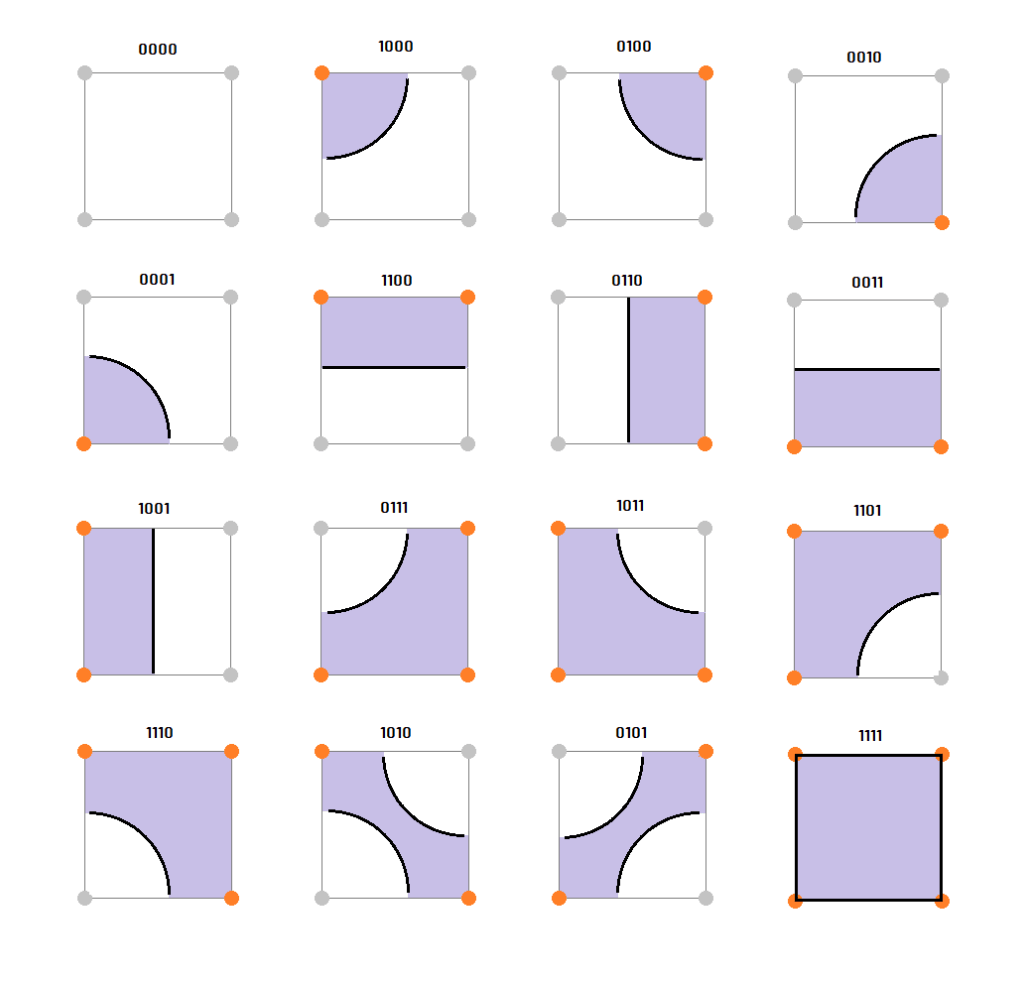
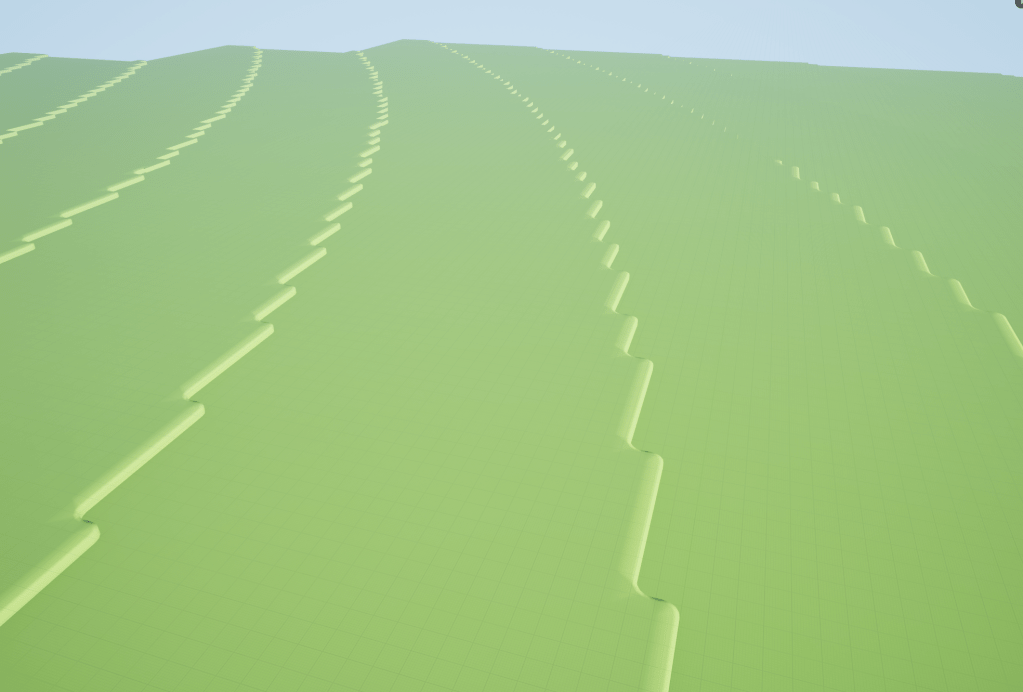
For the visuals I’m using a variation of the marching cubes algorithm. Being voxels you can simply place a cube in each of the filled locations but I wanted something a bit more detailed. However the standard marching cubes look isn’t what I was aiming for either. So instead I’m using a similar method that samples in a square around each voxel corner to find the shape I want. This allows me to generate voxels with rounded edges which when combined with the flattened height gives the effect of the landscape being built with layers. The below image shows how a shape flag is constructed by sampling 4 voxels (around the corners of a square) which is then used to select and instantiate the mesh that best represents the surface of the voxel field.
For a system like this optimisation is incredibly important. It needs to be able to generate massive worlds without requiring huge amounts of memory. It also needs to be able to generate landscape or voxel chunks at runtime without a big drop in frame rate. Using a tree structure can make a big difference to the amount of memory that is required. Instead of each individual voxel needing to be stored in memory, a tree structure can instead use the same amount of data of a single voxel for a large chunk if all the voxels within that chunk have the same value. So when the landscape is mostly all ground or mostly all air with some detailed surface in the middle you can save on a large amount of memory by having most of that space defined in large chunks subdividing only when more detail is required. As for runtime generation and frame rates the main approach I’m taking is to perform as much concurrently as possible and to spread out the generation of chunks and voxels across multiple frames. Fortunately it’s relatively easy to use multithreading in Unreal using the tasks system, which makes it easy to run multiple tasks concurrently and is great for functions that run the same operations multiple times across different data independently, like generating a voxel landscape. Another optimisation technique I’m using is to have a lower LOD version of the visual representation of the landscape. When a chunk is far away I generate the landscape using simple blocks so that each ground node can just be a single cube. Then for chunks that are closer to the camera I switch to using the higher detailed meshes. This reduces both the poly count and the number of individual meshes needed to represent the landscape to a much lower number compared to only using the more complex version.
So far my voxel implementation runs fairly well even at very large sizes, the initial generation is slow but after that you can move around the world with chunks being generated on the fly without the frame rate dropping. The one major issue I have come across is that the navmesh generation is very slow for something like this. Every time a single voxel changes or a whole new chunk is generated the navmesh needs to rebuild. With this happening frequently in a voxel game and the with the voxel generation happening across frames the navmesh ends up being regenerated in some cases every frame and for a large world that can cause the frame rate to plummet. I’ve yet to figure out a good solution for this but my next step is to do a deep dive into the Recast library that Unreal uses to generate the navmesh and potentially build a custom solution that will allow me to create the navmesh myself in a way that is much more optimised for this use case.
-
I recently taken part in a game jam hosted by Opera for their GX Games platform using Game Maker. I had 2 weeks to make a game that fit the theme of predictably unpredictable. The game I ended up making is a text adventure game with turn based combat and lots of randomised elements, you can play it here. Below I’ve given a high level overview of how I made it.
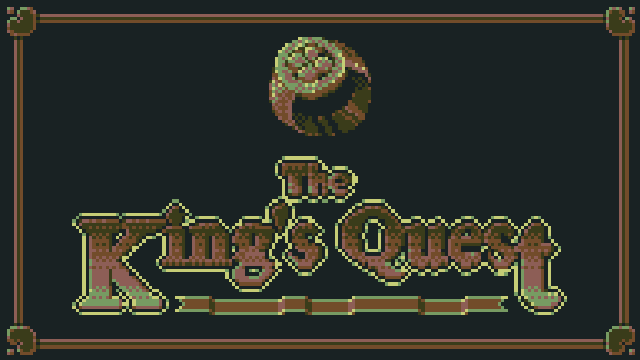
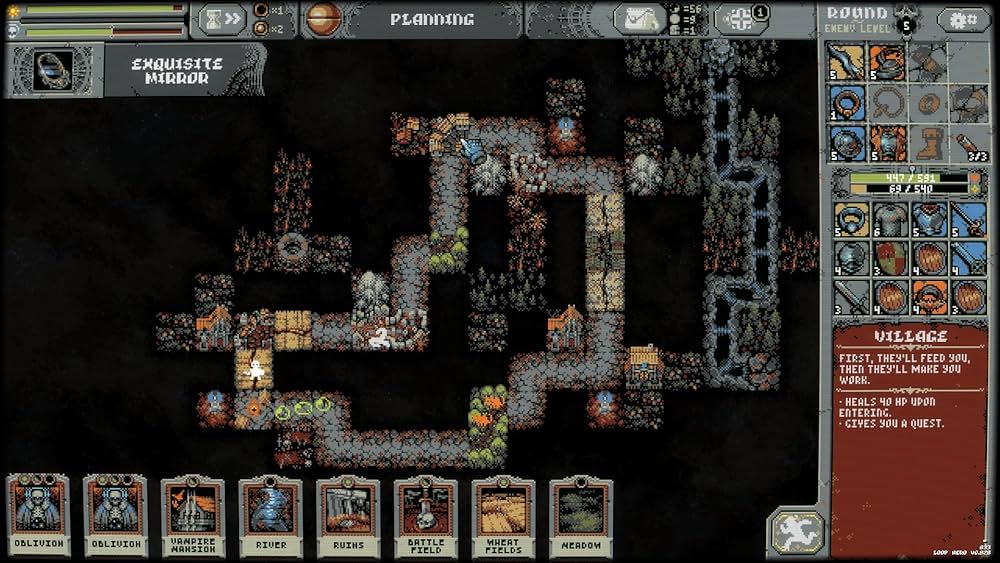
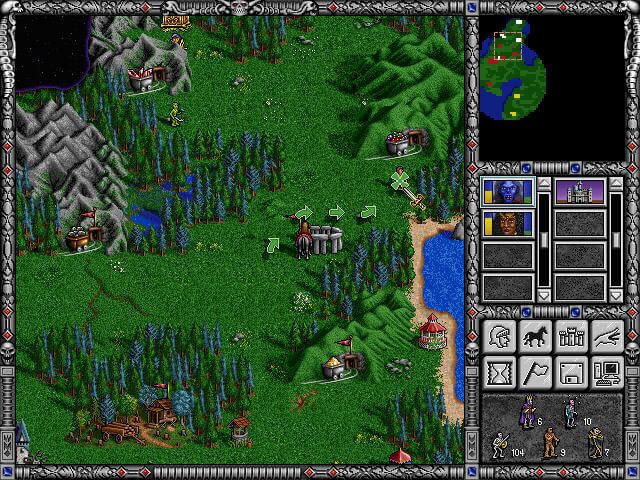
At the start of the jam I spent the first 24 hours just thinking of ideas that I could make within the time frame. Some of my first ideas included a vampire survivor or rogue like game where the weapons and abilities would have randomised effects. This could include a weapon that would fire randomised projectiles that would range from high damage missiles to spitting out eggs that just splat on the floor. I felt like these ideas were more obvious and would likely be something other people would be making. Eventually I landed on the idea of doing a retro text based adventure game with turn based combat. The reasoning for this being that it meant I could keep the graphics down to a minimum and try to get as much content added as I could by writing small dialogue events with multiple choices (which turned out to be more ambitious than I realised). For the visual style I wanted it to have a retro pixel art look, keeping the number of colours to a minimum and the resolution low. I was aiming for something between Loop Hero, Heroes of Might and Magic, and old MUD text games.
1st Stage: Rendering and Proc Gen
The first tasks I focused on once I started development was to build both the graphics system and the procedural generation for the map. Both of these tasks eaten into a lot of my available time which I wasn’t expecting but I was still able to get this done in a few days.
// World Ground
var groundLayer = new RenderLayer( eRenderLayer.world_ground, renderWidth, renderHeight, false );
groundLayer.CreateNewCamera( 0, 0 );
groundLayer.clearAlpha = 1; // Set to opaque as it's the first surface to be drawn.
array_insert( layersArray, groundLayer.layerIndex, groundLayer );

// World
var worldLayer = new RenderLayer( eRenderLayer.world, renderWidth, renderHeight, false );
worldLayer.CopyCameraFromLayer( groundLayer );
worldLayer.clearAlpha = 0; // Transparent to see ground objects underneath.
array_insert( layersArray, worldLayer.layerIndex, worldLayer );

// UI
var uiLayer = new RenderLayer( eRenderLayer.ui, renderWidth, renderHeight, false );
uiLayer.CreateNewCamera( renderWidth * 0.5, renderHeight * 0.5 ); // Offset the position so that the top left corner is 0, 0.
uiLayer.clearAlpha = 0; // Needs to be transparents to see the game surface behind it.
array_insert( layersArray, uiLayer.layerIndex, uiLayer );

// App
var appLayer = new RenderLayer( eRenderLayer.app, applicationWidth, applicationHeight, true ); // Set width and height to the application size as it needs to match the screen size.
appLayer.CreateNewCamera( applicationWidth * 0.5, applicationHeight * 0.5 ); // Offset the position so that the top left corner is 0, 0.
appLayer.clearAlpha = 1; // Set as opaque as all other surfaces are drawn to this one after being cleared.
array_insert( layersArray, appLayer.layerIndex, appLayer );
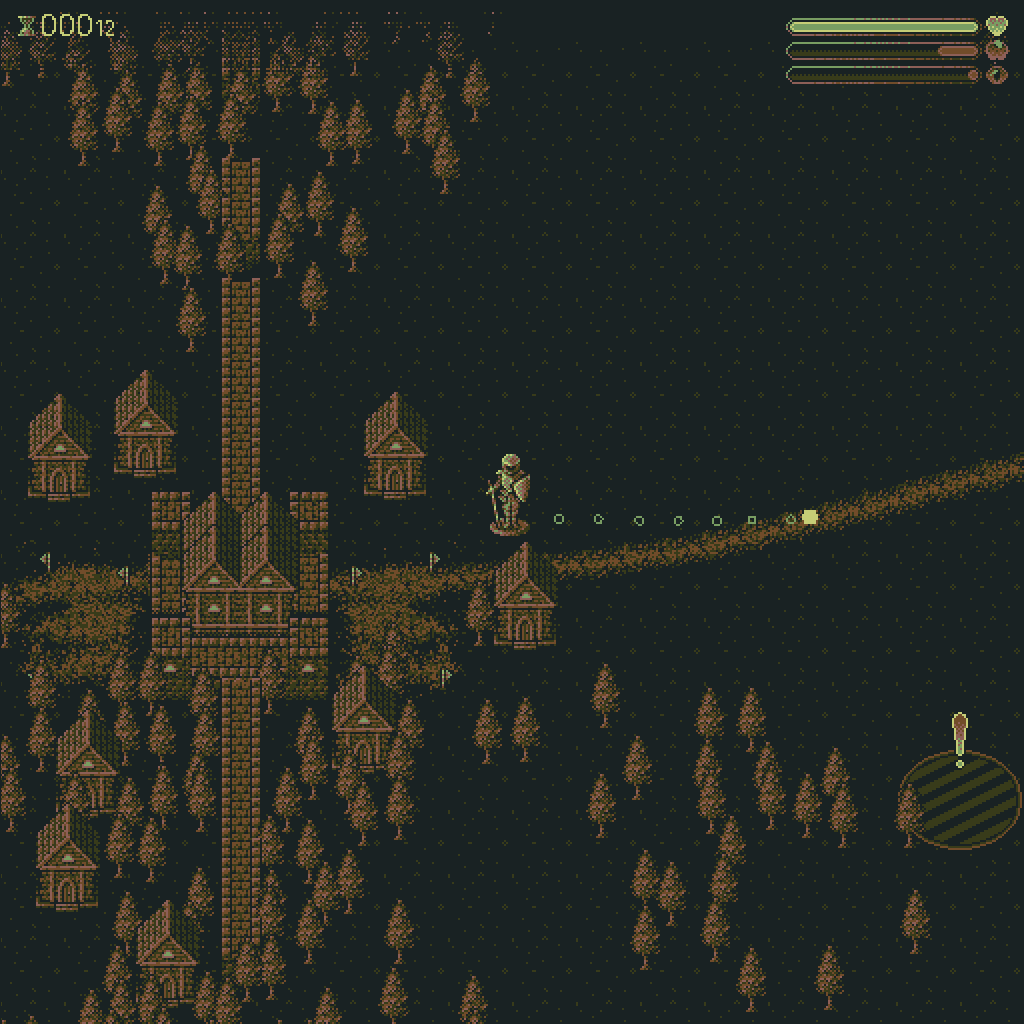
Since this was made in Game Maker the graphics rendering is already handled for you for the most part but being a pixel art game I wanted to make sure that the game rendered in a low resolution. This meant building some custom rendering steps set to a low resolution, and then scaling it all up to the output resolution using point sampling. This can be done in Game Maker using surfaces which act like render targets, you can then associate a surface with a specific view and camera. In the end I had several of these surfaces so that I could control the way the game rendered (shown in the above code snippet). I used one layer to draw the ground objects, another for the world objects, one for the GUI layer, and finally a copy or app surface used to draw all of the other surfaces to in the correct order which also allowed me to apply custom shaders before presenting the result to the application surface, similar to presenting to the foreground buffer in DirectX.
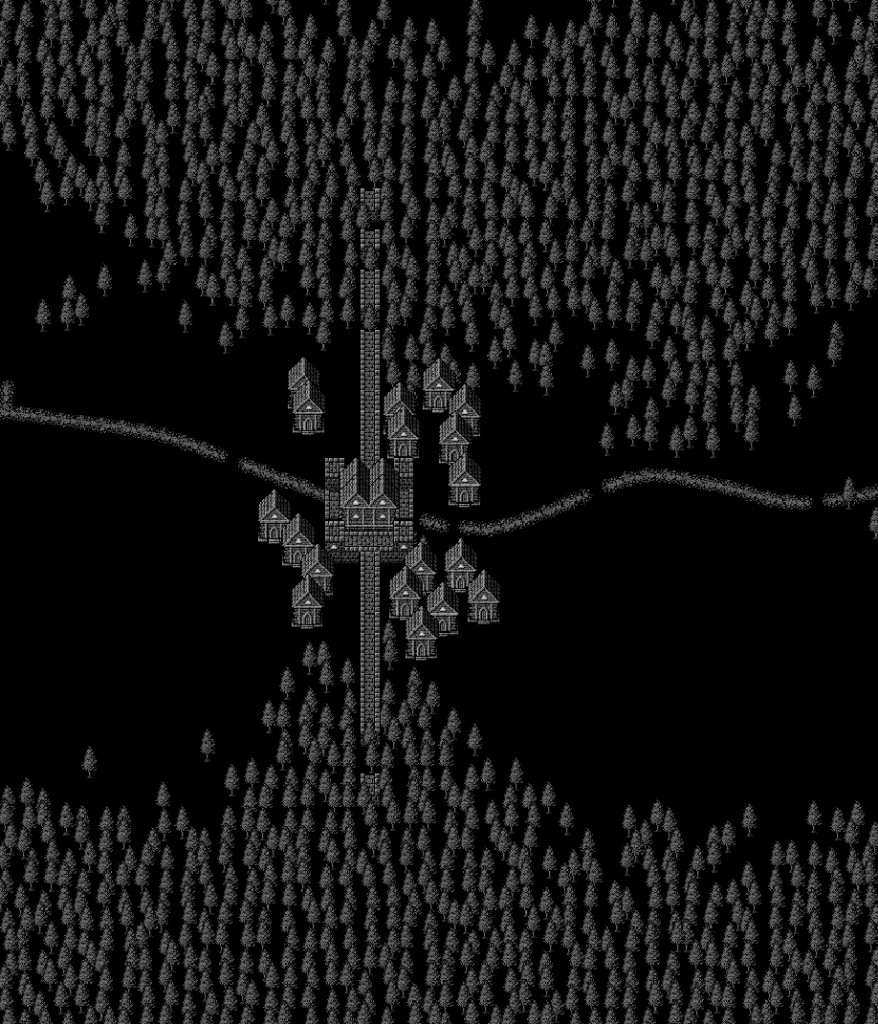
For the game itself I first focused on the environment, or the map. I wanted each run of the game to be different helping to fit into the theme of being unpredictable. It taken a good chunk of the time to build but I managed to build something that worked for the story I had in mind. The generation algorithm used a 2D grid to assign values to each cell. A single cell would be given a type and a context value that was used for different things depending on the cell type. The algorithm first finds a start and end point, these would be randomly placed on the left and right edges of the grid. It then draws a path between these two points. The path was constructed using a modified version of Bresenham’s line drawing algorithm but instead of aiming directly for the target it had a randomised offset direction that changed at randomised intervals resulting in a wavy path. The rest of the elements were then placed in relation to the path and the end and start points. Houses and castle walls were placed at the start and end of the path, and the treeline was placed a randomised distance from the path with it pinching in at the end and start points to help guide the player. Finally the game POI events were placed along the path, again using randomised distances, these are points in the world that will trigger specific events when overlapping with the player sprite.
Using a grid system like this can result in objects being placed unnaturally especially when there is a high density of the same type of objects. One big problem I came across was that the tree line had a very solid edge which didn’t look like a natural forest. To fix this I used a box blur algorithm on the tree cells to spread the cells out and give it a more natural look. Each tree cell had a value that represented the density of the trees in that location and it’s these values that would be effectively blurred to create a forest that had a softer edge where the density would falloff.
Once all the cells had been given a type and the treeline was blurred the final step was to loop through the grid and place instances of the relevant objects in that location. This stage also included some randomised elements especially for trees which had some offsets applied to avoid all the trees being placed in a perfect grid pattern. The density of the tree cell also acted as a percentage chance that a tree would be placed in that cell. Where the tree cell had a lower density it was much less likely to spawn a tree in that location.
2nd Stage: Gameplay
Onto gameplay. I needed a way to move a character through the map. I decided that it would fit the style of game better to have it be played entirely using the mouse, which meant player movement would need to be point and click. This required implementing the A* pathing algorithm to allow for movement through the map while avoiding obstacles. This is a well known algorithm so I won’t describe it in detail here but basically it attempts to find the most optimal route from point A to point B while avoiding dead ends. Because the player could point the mouse outside of the pathable area I also had to add in a way for the algorithm to exit early if it searched a maximum number of cells and return a close enough result.
I did come across an issue with the way I had built the world that was causing the performance to drop. Having so many object instances in the world was the main cause of the issue. To get around this I only spawn tree instances long enough to generate the pathfinding grid, after that the trees aren’t really needed as they are just a visual element. The proc gen spawns in all the trees as instances, this allows the pathing system to use the collision area of the instances to figure out which cells can be pathed to and which can’t, once that’s done I then loop through all of the tree instances in the room, store their position in an array before deleting all the instances. The game then draws a tree sprite at all the cached positions every draw call. Doing this made a big improvement to the game’s performance as there was no longer such a high number of object instances in the room processing the step events, draw events, updating collisions, etc. Replacing that with just sprite calls was much faster.
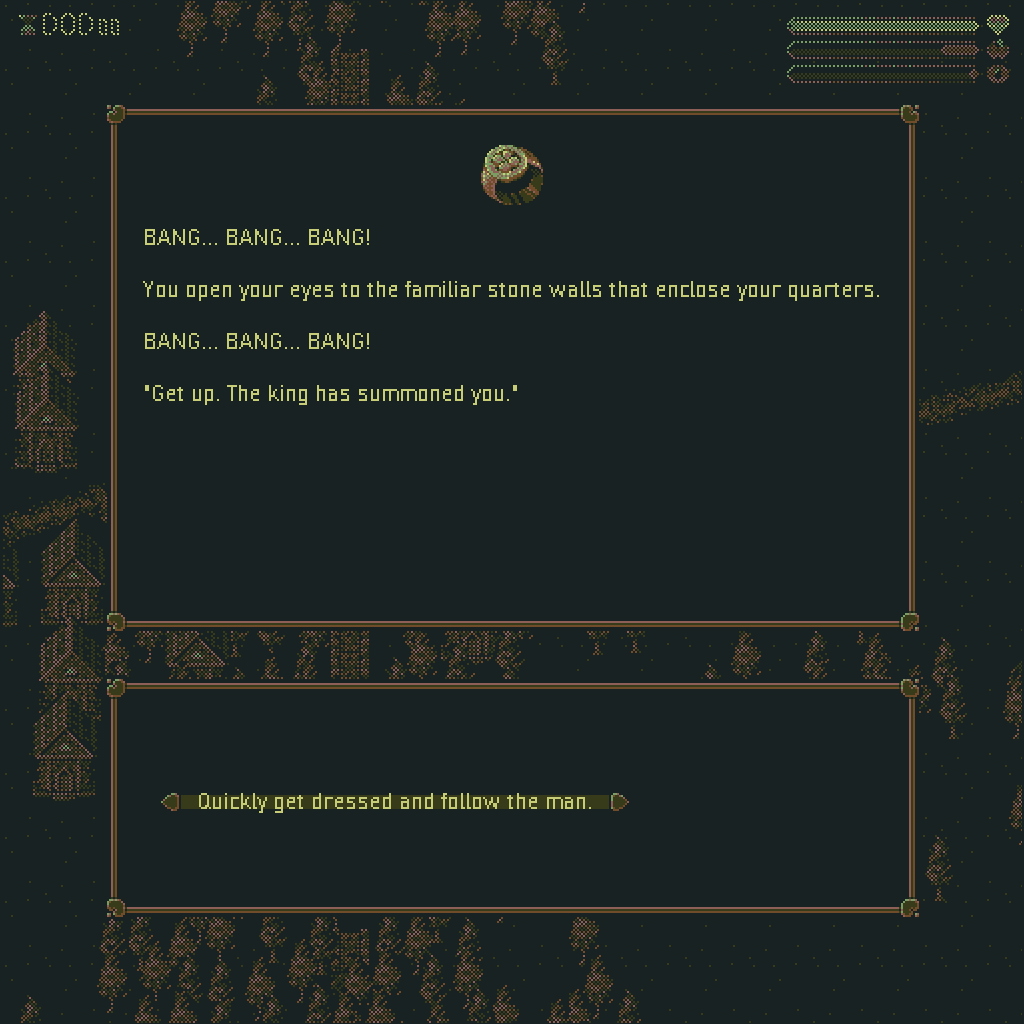
The main gameplay is delivered through two methods a dialogue system and a combat system. Since both were text based it allowed me to build a single system that could handle both with some variations between the two. The dialogue events just had to display some text describing what was happening along with up to 4 options for the player to select. The combat worked in a similar way except instead of progressing step by step through a story it would instead describe your opponent, show you some UI elements for health etc, and then give you up to 4 choices for attack moves that could be selected. Both of these were designed to fit the theme of the jam as the outcome of the stories were hard to predict given that players could make different choices and some of the choices had randomised outcomes. The battle system also randomised the available moves the player could choose from after every turn so you could never quite predict how the combat would play out and you would not be able to just pick the same strong move over and over.
function DialogueEvent_MushroomMystery_A() : DialogueEventData() constructor
{
    displayString = "With little thought for the potential dangers involved in eating unidentified mushrooms you grab one at random, yank it out of the ground and stuff it in your mouth. " +
    "You can feel the residue mud grinding between your teeth as you chomp down.";

    optionStrings =
    [
        "Spit the mushroom out.",
        "Continue to ingest the mushroom.",
    ];

    OptionA = function(){ return new DialogueEvent_MushroomMystery_AA(); }
    OptionB = function()
    {
        var percent = random( 1 );

        if ( percent <= 0.1 ) return new DialogueEvent_MushroomMystery_AA();
        else if ( percent <= 0.4 ) return new DialogueEvent_MushroomMystery_BAA();
        else if ( percent <= 0.7 ) return new DialogueEvent_MushroomMystery_BBA();
        else if ( percent <= 1.0 ) return new DialogueEvent_MushroomMystery_BCA();

        return new DialogueEvent_MushroomMystery_AA();
    }
}
The system that made this work was all data driven which allowed me to quickly add in new dialogue or combat events simply by creating a struct and filling in some of the relevant data. These structs would be passed to the event system which would use that data to construct the UI for the event as well as handling the dialogue outcomes and the results of each move during combat where player’s and enemies’ health etc could be reduced or increased. With Game Maker not having a native way of handling branching data sets I simply relied on having a long list of structs using a labelling system that appended a letter representing the options that would lead to that story point. In a larger long term project this would be a horribly error prone way of handling branching dialogue but for a small game jam it was a very efficient solution.
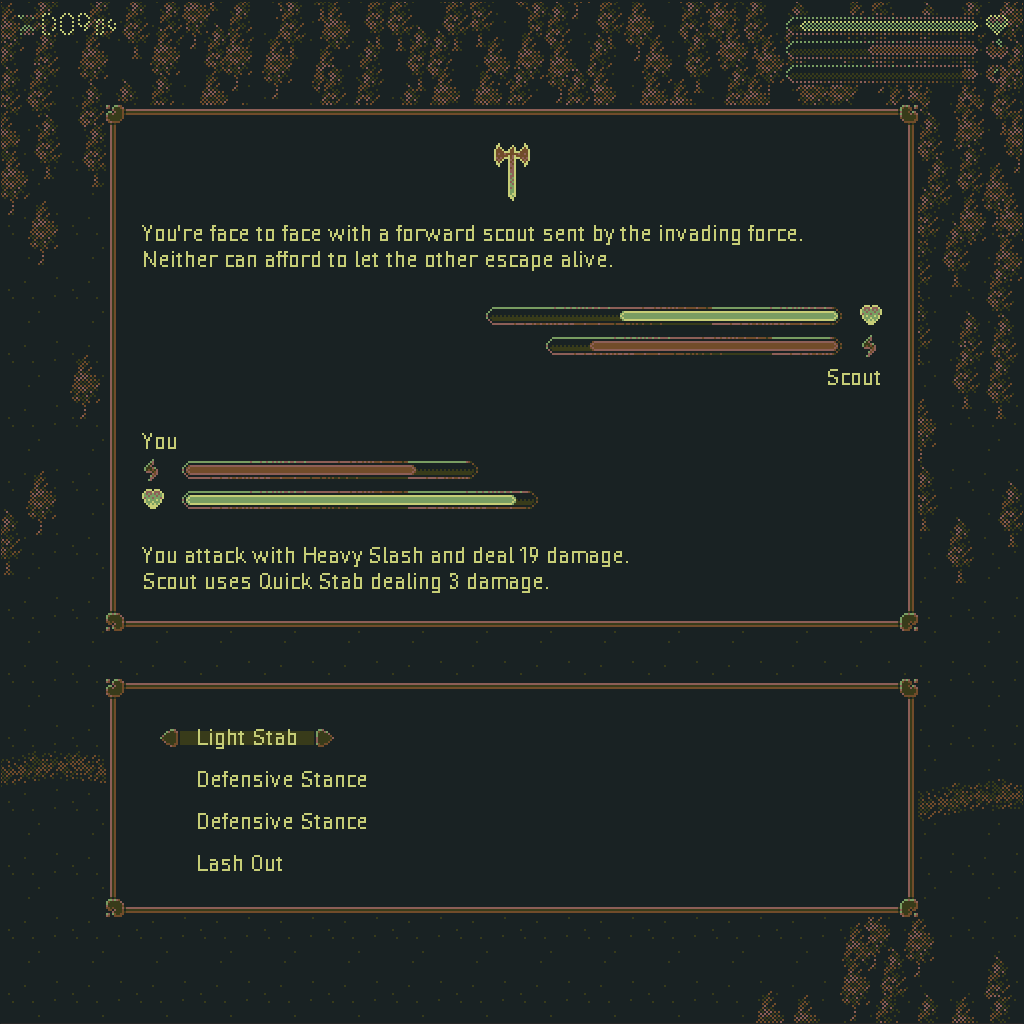
One major thing to note about the gameplay is that the player had a stress level. This further aligned the game with the jam theme. As the stress level increased, which could be caused be receiving negative effects, the game became more unpredictable. Dialogue events were more likely to give negative outcomes and during combat you had a chance to fumble your attacks based on your level of stress. It also made it more possible to get creepier or weirder events pop up like a ghost version of the player or an evil rabbit. A big part of the strategy to beating the game is to manage your stress levels by learning which dialogue choices lead to positive results and how to minimise the damage you receive during combat.
OptionA = function()
{
    _g.playerChar.ChangeStat( ePlayerStat.hunger, eStatChange.medium, eChangeType.punishment );
    _g.playerChar.ChangeStat( ePlayerStat.vigour, eStatChange.medium, eChangeType.punishment );
    _g.gameManager.daysPassed += 0.5;

    return INVALID;
}
Last thing to talk about in terms of gameplay was the way I managed stat changes for the player. I knew the game would require some balancing to ensure that beating it was challenging but not impossible. What I was keen to avoid was wasting a lot of time tweaking lots of different numbers that were spread out throughout the code base where a reward was given for one dialogue option or the player’s stress was increased during combat, and so on. If I needed to alter the difficulty a bit I didn’t want to be having to do this in a lot of places in order to keep it consistent. To avoid this I created a system where the player’s stats were changed through a single function. This function accepted 3 arguments all enums, the stat type (health, food, or stress), the amount to change by (small, medium, or large), and if it was a reward or a punishment. By using enums like this instead of hardcoded values I could then have all stat changes use predefined values for each amount. This meant that if I needed to heal the player a small amount I only needed to call this function with the enums for health, small, reward. The values I used were also further tweaked by the global difficulty setting, so depending on the stat and if it was a reward or a punishment the stat change value was either scaled by the difficulty multiplier or by its inverse. By building a system like this I was then able to rebalance the whole game by changing only a very small set of numbers.
3rd Stage: Finishing Touches
The last two finishing touches I had time to do just before submission was to add audio and to create a LUT shader. For the sound effects and music I used packs I purchased from Ovani Sound. It was a simple job of finding some packs that fit my game’s style and then drop them in. Game Maker very much handles audio for you, all you have to do is tell it when you want to play which audio files. I added some additional code on top of this to automatically apply a small amount of randomised pitch and gain so that repeating sound effects didn’t sound exactly the same. I also added in some safe guards against playing the same sound file multiple times at the same time or too closely together.
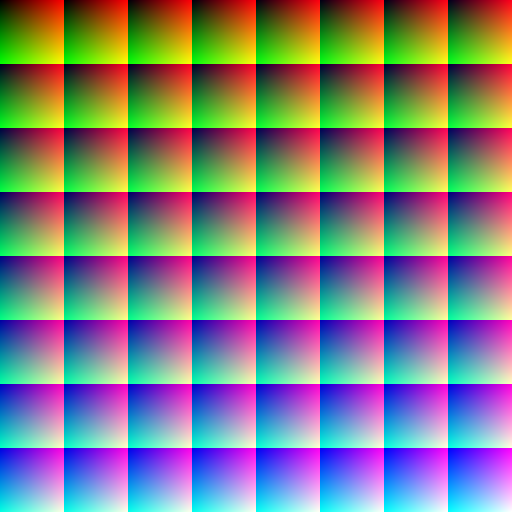
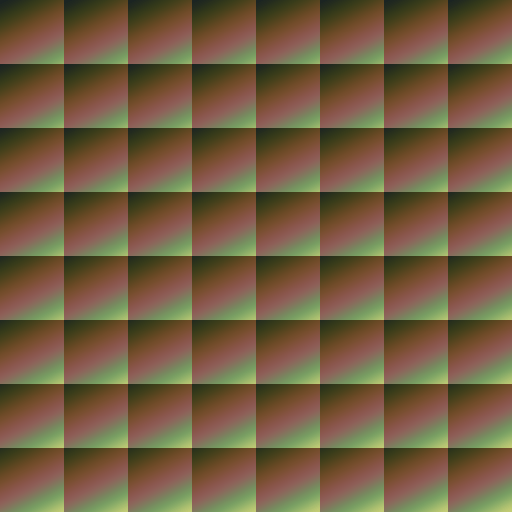
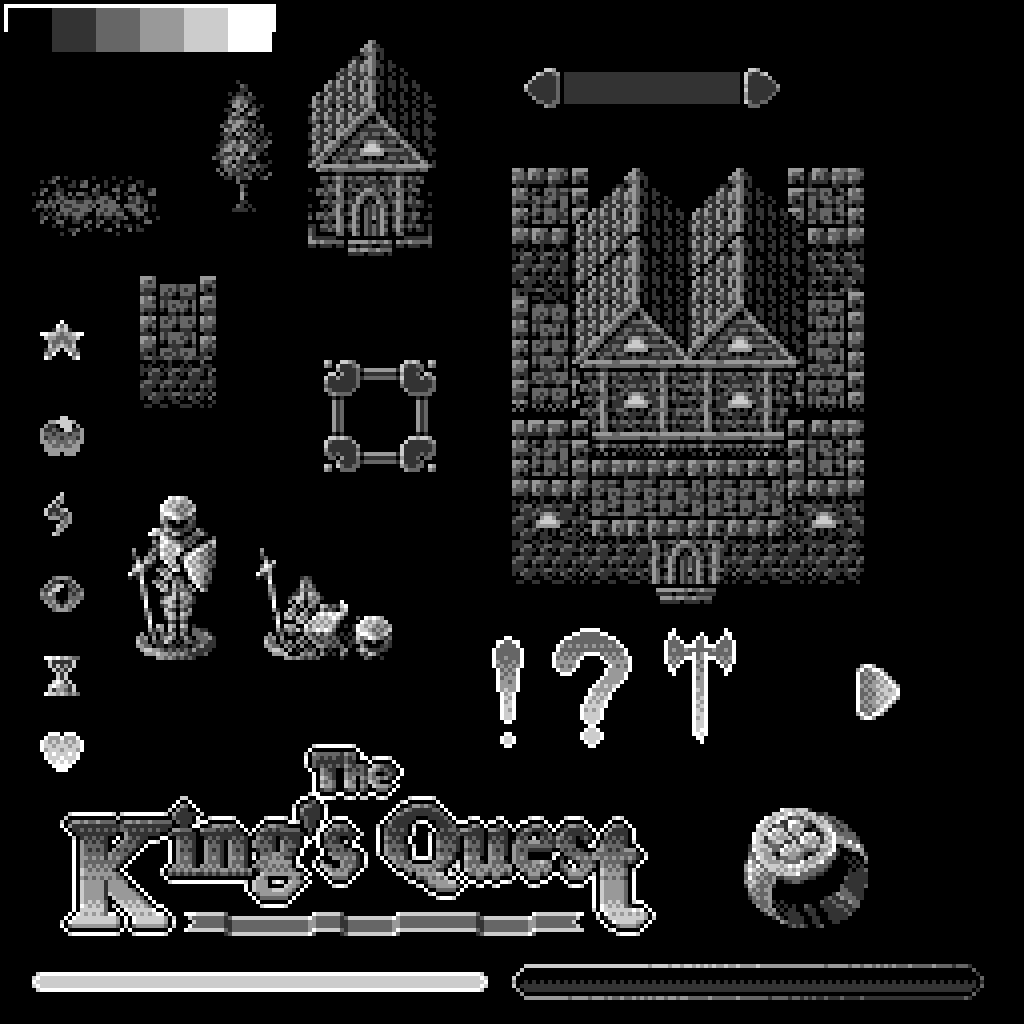
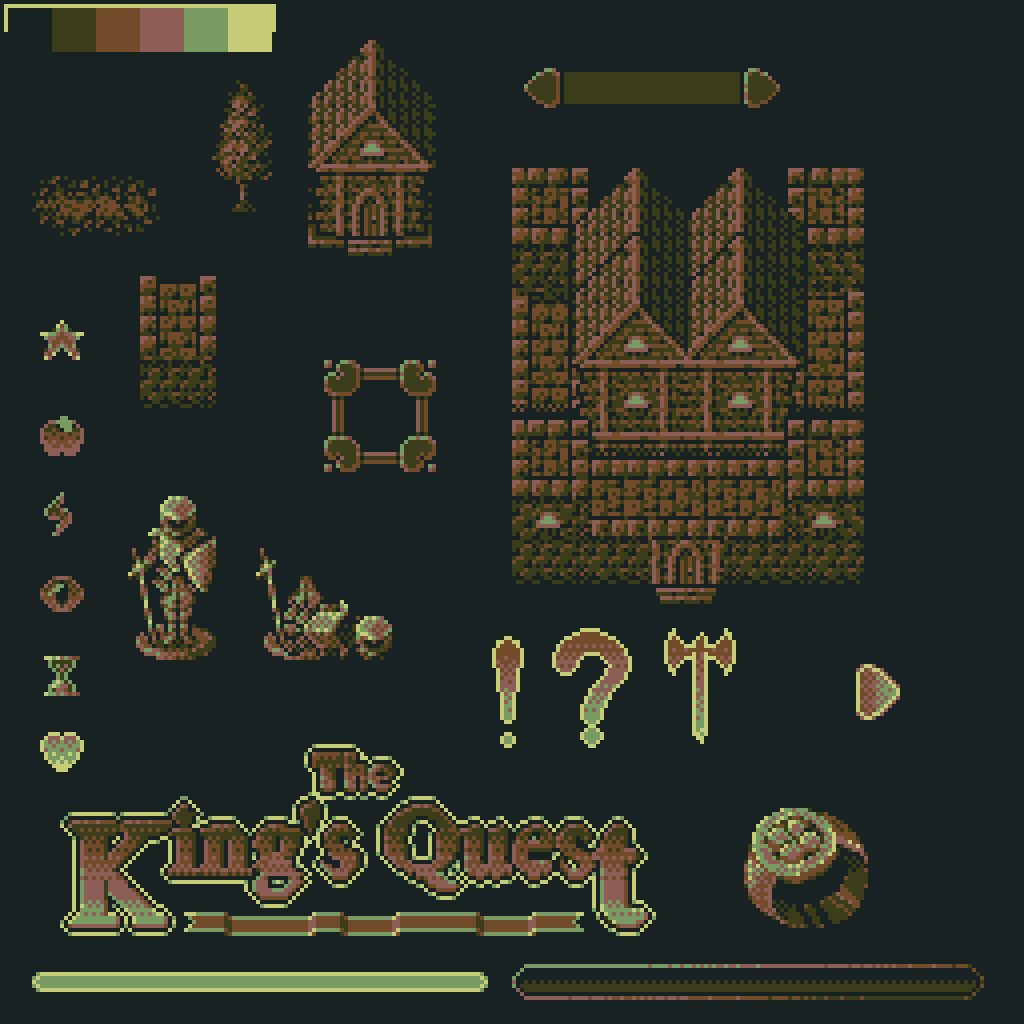
The LUT shader was something I absolutely wanted to make time for. All the sprites I made for the game were made in black and white, or more accurately using 6 shades of grey including white and black. This created its own unique aesthetic but I never intended to display the sprites that way. Instead I wanted to use the grey as a sort of index for a palletised colour. The ultimate goal with this was to make it easy to then change the colours of the game to fit the mood (unfortunately I didn’t have enough time to make full use of this but I was at least able to change the final colour palette). This is where the colour look up table shader is needed or LUT shader for short. With this kind of shader the input colour from textures are not outputted directly but are instead used to index into another texture where the final output colour is found. The default unaltered version of this looks like a colour picker that you see in pretty much every art and graphics tool where the output colour matches the input colour but the altered LUT changes those colours to produce either subtle colour changes or change them completely. Not only was I able to use this to change the final colour palette of the game without having to change the sprites but I also used it to create a flashing effect for when the player triggers a dialogue or combat event similar to the way the old Pokémon games would flash or invert the colours a few times before transitioning to the combat screen.
Final Thoughts
Voting is still on going so I’m yet to find out how I’ve done but I’ll update this post once I do, you can see all the other submitted games here. Overall I’m happy that I managed to get something finished and mostly bug free. That on its own is hard enough to do during a game jam. I’ve done a good few of them now and most of them have been a buggy mess but the more you do the better you get at estimating what you can build in the time given.
I would have liked to have gotten more dialogue and combat events in, it doesn’t take long to see the same events over and over but creating branching storylines even small simple ones can take a bit of time to write. Especially when you’re not a writer.
When it comes to the theme I think I’ve created something that is unpredictable in several ways but I also think some of my earlier ideas may have resulted in a game that fit the theme better, that would have also been more fun to play with a broader appeal.
One of the things I’m most happy with is the look of the game. It may not be bright and colourful or immediately eye catching but I like the colour palette. I think it captures that retro pixel art feel really well and some of the sprites I’m really happy with. The ones I think look the best are the title text, some of the UI elements, and the character sprite. For the character I wanted it to look like a figurine being moved across a map rather than a person walking through the world. This allowed me to visually explain away the lack of animations while still creating something graphically interesting. I do think the first few sprites I did, like the buildings, don’t look as good as the later ones once I figured out a style that I was happier with.
I had a lot of fun taking part in this game jam and I think in the end I managed to submit something that’s not too bad given the time frame. If you’re interested in giving my game a try you can play it here.
-
This ended up being a much longer post than I intended so here is the TLDR. The Unreal Engine currently appears to be the engine of choice for a lot of studios. Likely due to the release of Unreal Engine 5 that comes with Nanite, Lumen and better PCG tools. The Industry is seeing a lot of uncertainty, mass layoffs are common, and there’s fewer jobs to go around. It’s more important than ever that developers make sure they are as valuable as they can be and maximise the opportunities available to them and right now it looks like the best way to do that is to become an expert in Unreal.
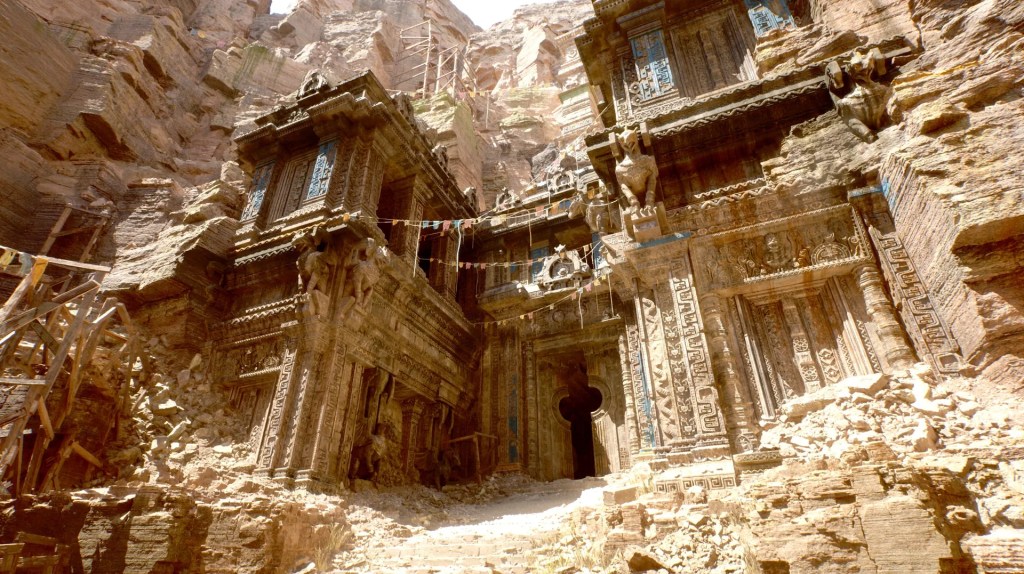
It seems at the moment that a lot of studios are using the Unreal engine more and more. This is purely based on my own observations while working in the games industry but looking back maybe 5+ years ago it seemed engine usage was fairly evenly spread between Unreal, Unity, and proprietary/custom in-house engines. Now looking at recent releases, newly announced projects, and job listings across the industry the Unreal Engine seems to stand out as the most frequently used.
I would imagine one of the big reasons for this is down to Unreal Engine 5, which was initially announced in 2020 and was released in 2022. This version of Unreal comes with new tech that has yet to be fully offered by any competitors, including, Nanite, Lumen, and Unreal’s procedural content generation tools (shortened to PCG). Nanite being the virtualised geometry solution that allows for much higher poly counts to be used without the usual performance impact as well as reducing the need to create multiple LODs for every asset. Lumen is the global illumination tech that uses ray tracing and other techniques to create highly detailed lighting again without sacrificing on performance. Then the PCG tools makes it easier to create large environments by setting up rules for automatically placing assets onto a landscape and can allow for great flexibility, for example detailed rivers can be generated along a spline path fairly easily.
Along with the release of Unreal Engine 5 and the new tech it uses I think there’s a few other factors that have likely contributed to this shift in popularity. Unity announced a new change to its fees and licencing agreement that would see developers being charged per game install. Presumably this was an attempt to earn more from free-to-play games. Unity has said that keeping Unity up to date including updating the runtime code that can be pushed out to games already released and sold is expensive and so an install fee can help recoup those costs and allow them to invest more into the engine. The backlash from this was large as many developers especially smaller indie teams would face massive fees from Unity and many simply wouldn’t be able to afford them. Unity later changed the way these fees would work to appease developers but the damage was already done from a PR stand point which has likely seen a lot of existing studios move away from Unity and certainly will make new ones less likely to use it.
It’s no secret that the games industry is going through a bit of turmoil at the moment. Large well funded games that were seen to be guaranteed successes are completely failing in the market, investors are becoming more cautious, many well known studios have been closed which also means many games have been cancelled and a lot of popular IPs have been abandoned (at least temporarily). Yet the market is still saturated, I think something like 50 games a day are released onto Steam and while many of those are small cheap games made by indies there’s also just a lot of options for gamers even at the AAA end. Combined with the popularity of live service games that tends to keep players playing the same handful of games over and over again rather than regularly buying new ones. There’s then the “politics” conversation which I have no inclination to get into in this post but there is a very clear divide in both the market and the industry which has a large impact on any new projects. It’s very easy right now for a game to appear to lean too far one way or the other alienating a huge portion of players and thus losing out on a large number of potential customers and revenue.
A lot of people have also been talking about generative AI models and the effects that they could have on entertainment industries. While that may be a factor in the near future I’ve personally not worked on a project or been aware of any projects from behind the scenes that used AI in any way. We’re certainly not yet at a point where it’s effecting a large number of game developers jobs, either negatively or positively. Though I can see how it may already be effecting decisions made by investors.
With all of the difficulties and uncertainties studios are facing in the games industry right now it’s no surprise then that there’s a push to not just cut costs but to also get more out of the resources already available. It’s then not a surprise that studios are looking to leverage the best tech that they can with the lowest up front costs and choosing to use Unreal for those reasons. Which along with offering a lot out of the box also allows studios to focus on hiring developers who already have experience with Unreal and so don’t have to worry about training up new employees on how to use their proprietary tools. Games like Black Myth Wukong serve as an example of the successes studios can see using Unreal Engine 5. A game that was partly praised for its visual quality, likely a result of tech like Nanite and Lumen.
A lot more could certainly be said about the state of the games industry right now but this post is already much longer than I intended so it’s time to get to the point. The Unreal Engine, specifically the 5th iteration, appears to be the engine of choice for a lot of studios at the moment. It’s always been true of the games industry that you need to consistently study to keep up with the latest tech and any industry wide changes to keep yourself employable. As a games developer I’ve always worked on side projects as a way to keep up with the industry, especially as a work-for-hire dev’ who needs to be able to support other studios with whatever tools they choose to use, and going forward I’ll likely be spending more of my time with Unreal.
With so many layoffs happening so frequently, with many developers out of work, many worried about their job security, with fewer studios hiring, and the usual yearly wave of new developers entering the industry for the first time it can be rough out there. My advice right now to both experienced developers and those looking to get their foot in the door would be to learn Unreal, learn Nanite and Lumen and how to use the PCG tools. It’ll likely open up a lot more opportunities and make you more employable and valuable to studios. At least until the next big tech shift comes along.
-
It’s been a little while since I’ve posted anything new here so I wanted to give an update on what I’ve been up to. There’s not much I can talk about work wise, the work I did on Age of Empires IV was the last big project I worked on so it’s likely to be a while before I can talk about anything new there. However as usual I’ve got a few personal projects on going.
Game Maker
I’m still working on my Game Maker game, progress is slow but I’ve been plodding along with getting the core tech where I want it to be. As I worked more and more on the rendering I’ve gone from mostly using Game Maker’s sprite rendering to now having completely custom rendering with my own shaders, camera solution, and building vertex buffers. The more I dug into this part of Game Make the more I realised I needed to go the custom route to be able to get things like the cameras working the way I wanted them to. It’s meant getting that part of the game setup has taken a lot longer than it would have otherwise but the silver lining is that I have much more control over how things are rendered, which includes being able to render 3D objects and have 2D sprites drawn in 3D space.
The big challenge has been getting all that custom rendering code running at a reasonable speed. Draw calls in game maker are fairly slow so if you have a lot of individual objects being rendered per frame those draw calls quickly eat up all your frame time. To get around that I’ve implemented a system for batching multiple objects into a single draw call which speeds things up by a good margin. You can batch all objects together that use the same texture even if the vertex data is very different, so long as the vertex format is the same. So each frame I build new vertex buffers that batches all objects or meshes that share the same texture, to then be able to position those objects I’m passing an array of object matrices to the shader rather than just one as you normally would. While this massively reduces the number of draw calls it does create slow downs in other places because you’re pushing a lot of vertex data around but this can be alleviated by only updating what has changed and keeping the rest of the data across frames. I’ve also made some good performance gains by optimising some of the most commonly used maths functions like matrix multiply just by unrolling for loops.
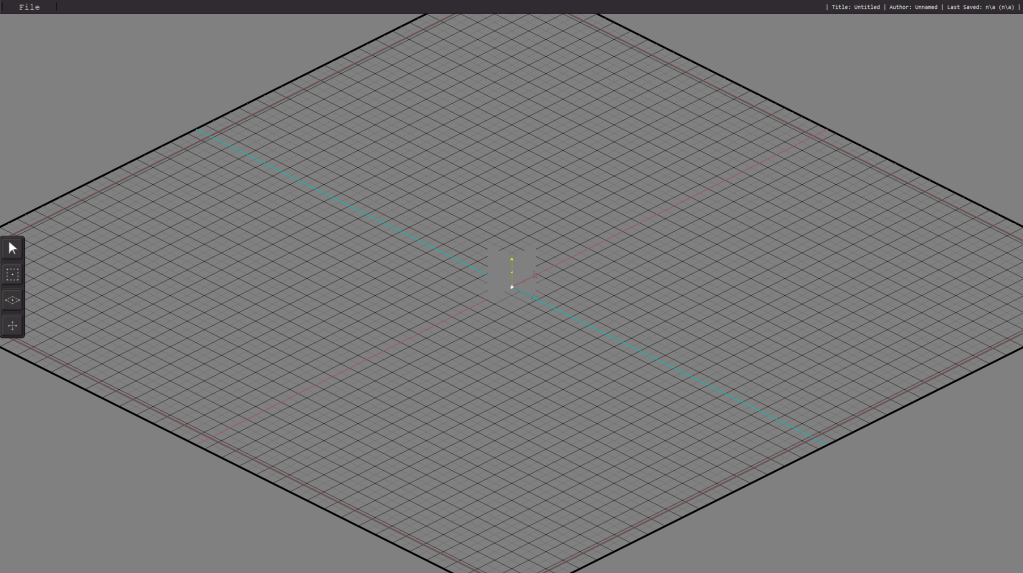
Unfortunately there’s still not much to show off other than the same grid and GUI elements that where there in the last update. Hopefully once I’m done with the rendering code and optimising things a little I’ll be able to start working on something more visually interesting for the next update.
3D Practice
I’m still working away on the 3D model I’ve been making inspired by Arcane the League of Legends TV show. I’ve recently finished up the UV unwrapping, which I ended up doing in Blender rather than Maya. The method I used in Blender actually turned out to be easier which I was surprised about, it’s been a long time since I’ve used Blender so I still think of it as being the clunky piece of software with a confusing UI but that obviously isn’t the case anymore.
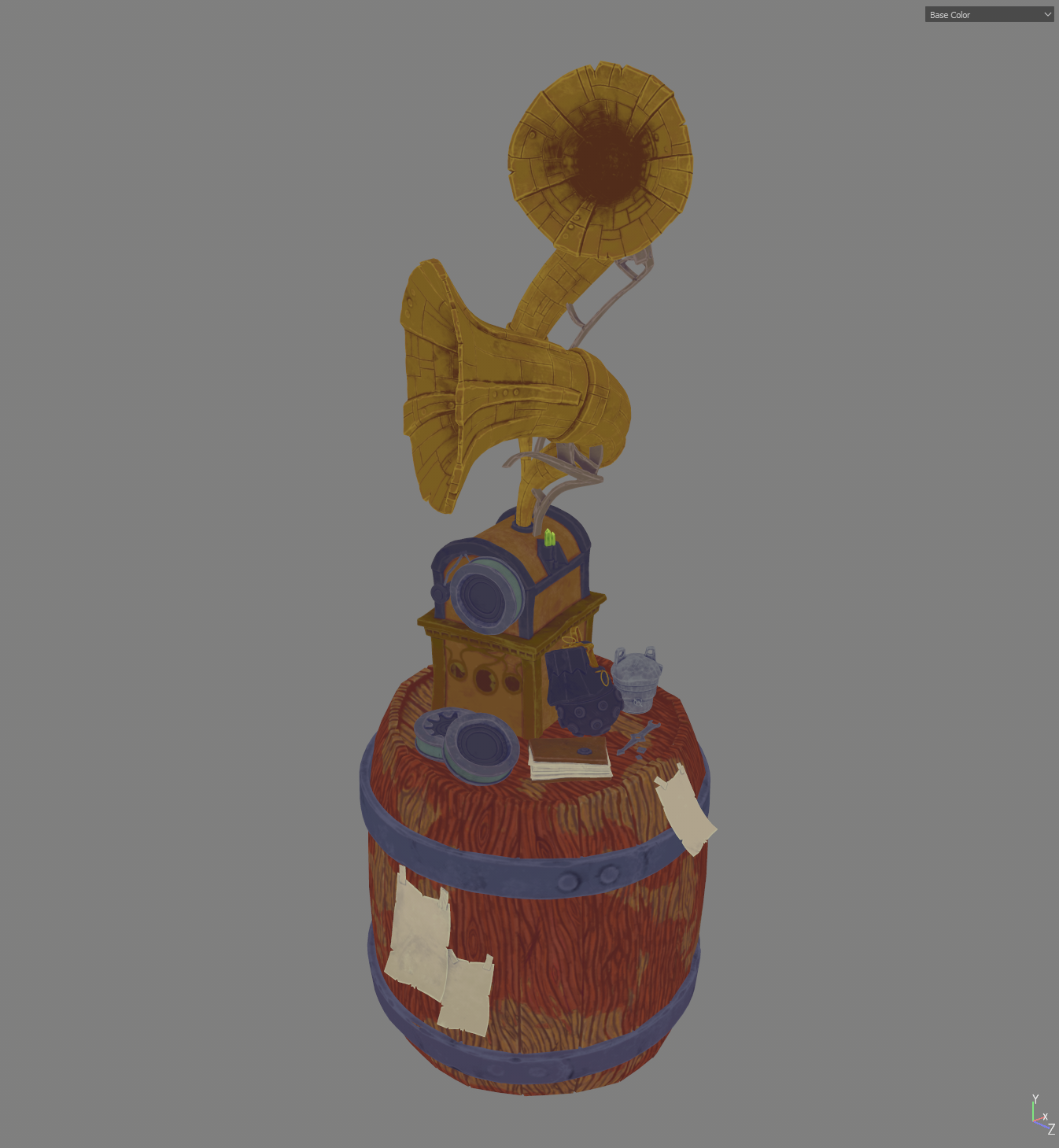
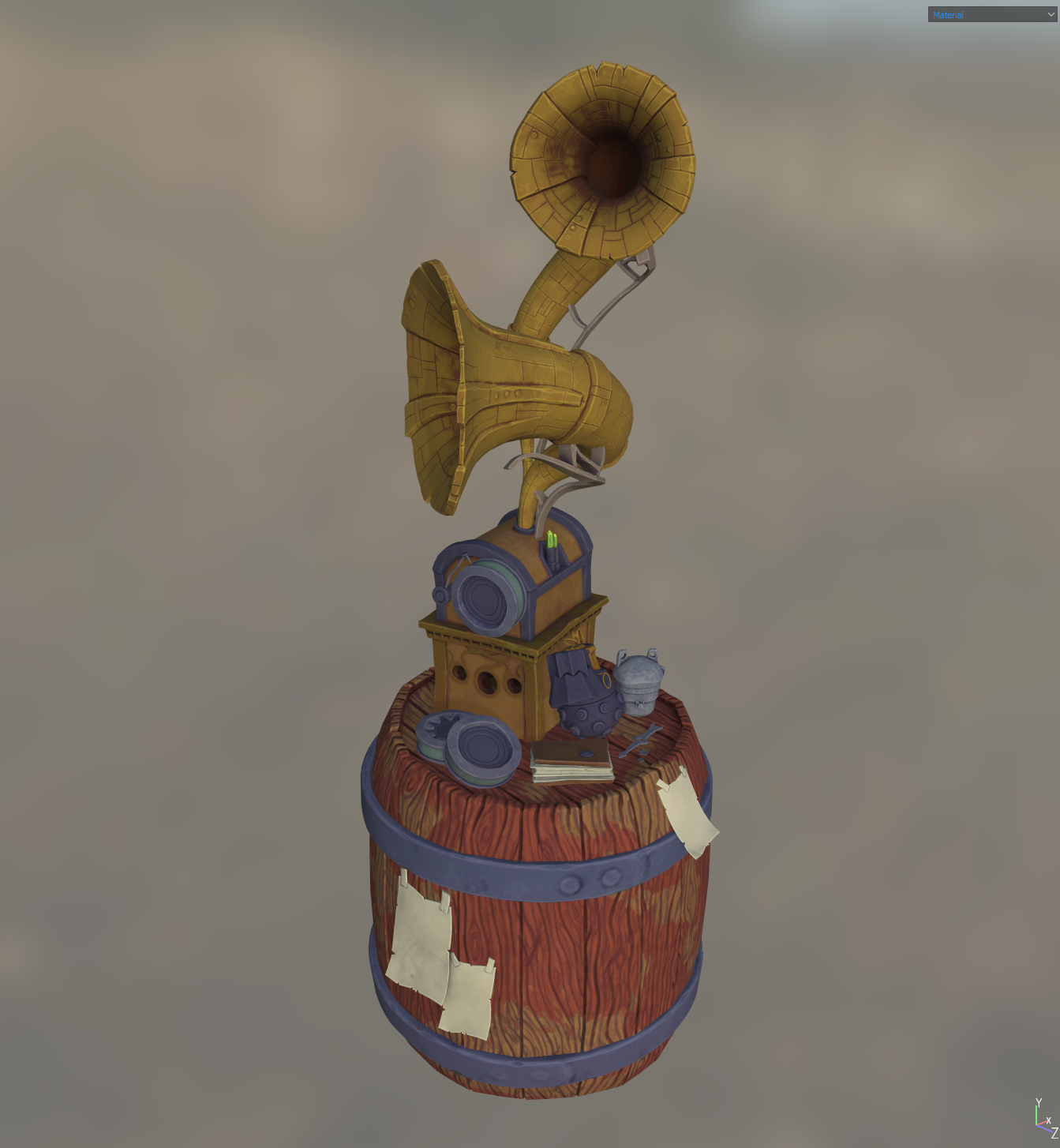
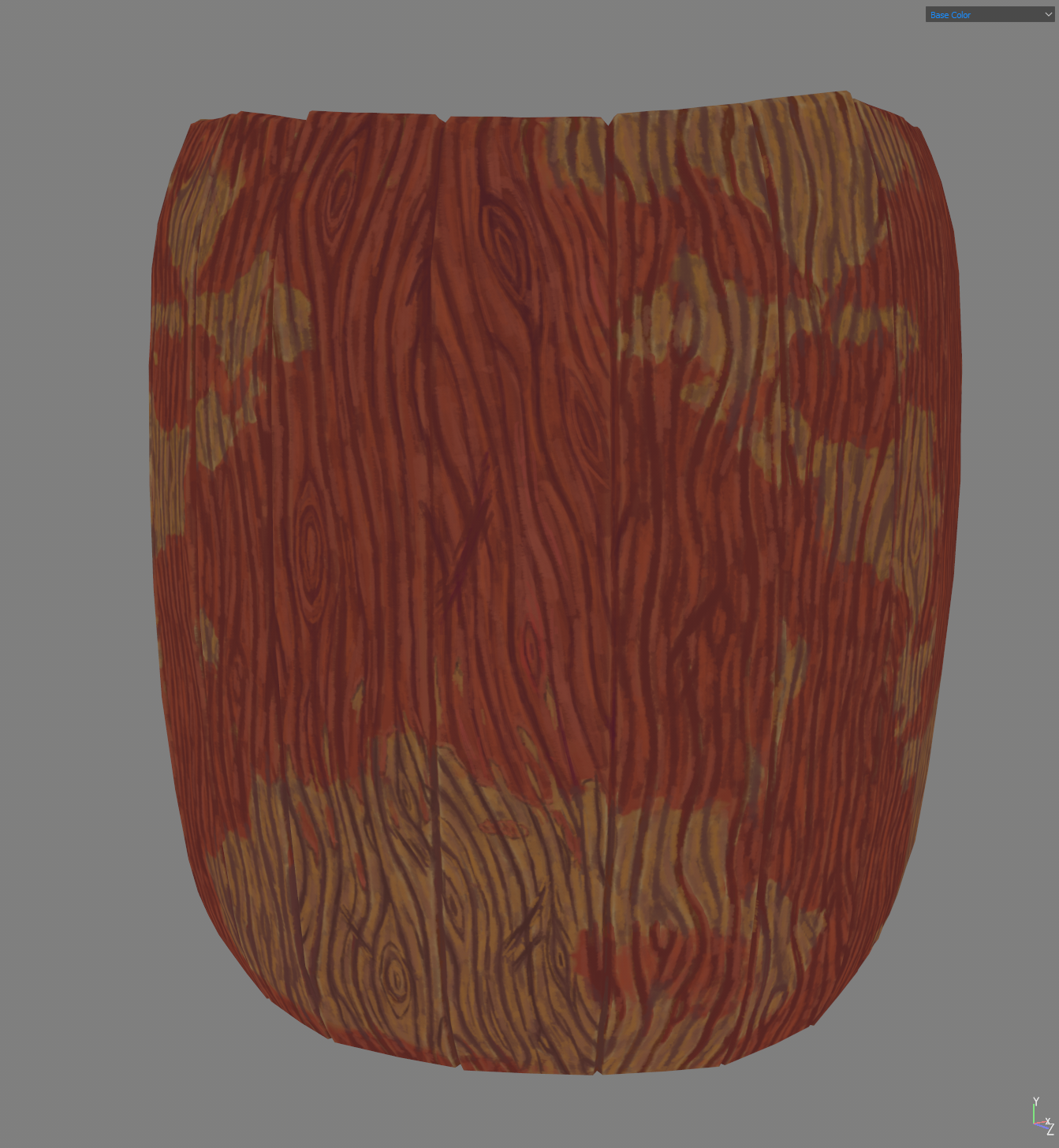
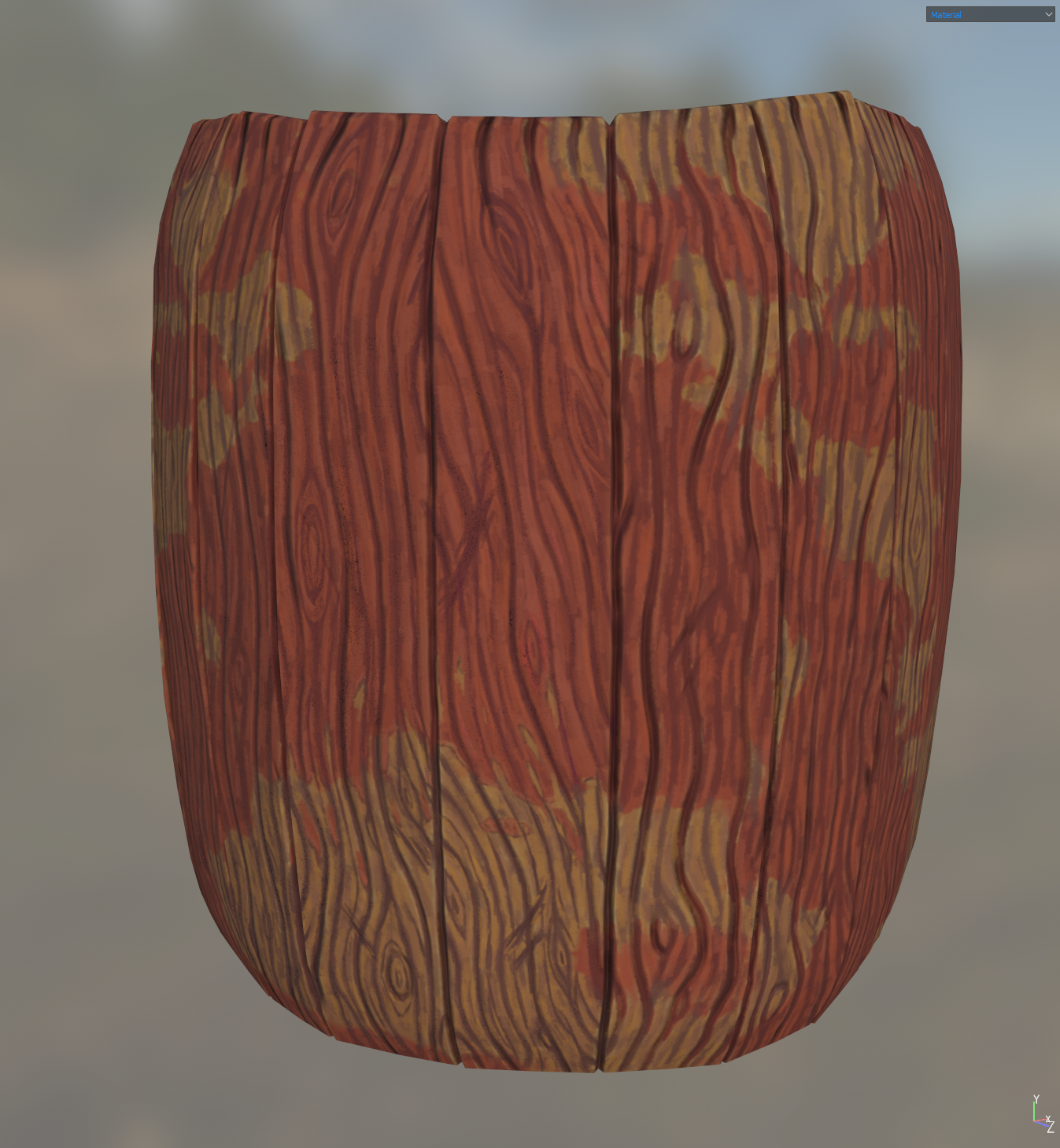
Currently I’m at the texturing stage, definitely one of the more fun stages. I’ve decided to try doing it all handpainted with a painterly but detailed style. The temptation with this is to go cartoony or stick closely to the style used in Arcane but I wanted to use this as an opportunity to find a style of my own. Ultimately I’m adapting the way I paint in Photoshop etc for 2D images to Substance Painter for 3D. So far I’ve blocked out the major colours and made a start on painting in the details on the barrel. I’m happy with the way it’s looking but I think the Substance Painter lighting setup seems to wash out some of the details and kills some of the hue variation. I do have a plan to use the paint layer to generate an additional height map to help make the details pop more with the lighting. Of course when I’m finished the painting stage I’ll try some custom lighting setups to get some good renders of the finished model and I’m sure that’ll help a lot with the look. A stylised model will likely look better with less realistic lighting, maybe something a bit more similar to cell shading and one that doesn’t alter the hues in the light areas too much.
Digital Painting
Lastly I’ve also started on a new landscape painting, giving Affinity Photo a try as an alternative to Photoshop. Going for a desert scene, with large spires and lots of dunes. I’m still not 100% sure on the rest of the content or subject. I’m thinking of going for an oasis, where a nomadic people are gathering and travel to and from. Narrative wise the idea being that this is a common meeting or resting point for people journeying through the desert due to the access to water and plant life etc. I’m also thinking of having some kids playing with a sci-fi(-ish) jetpack that they’ve made themselves, hinting that this is a futuristic setting rather than an ancient one. (And yes I have most likely been subconsciously inspired by the recent Dune films for this painting).
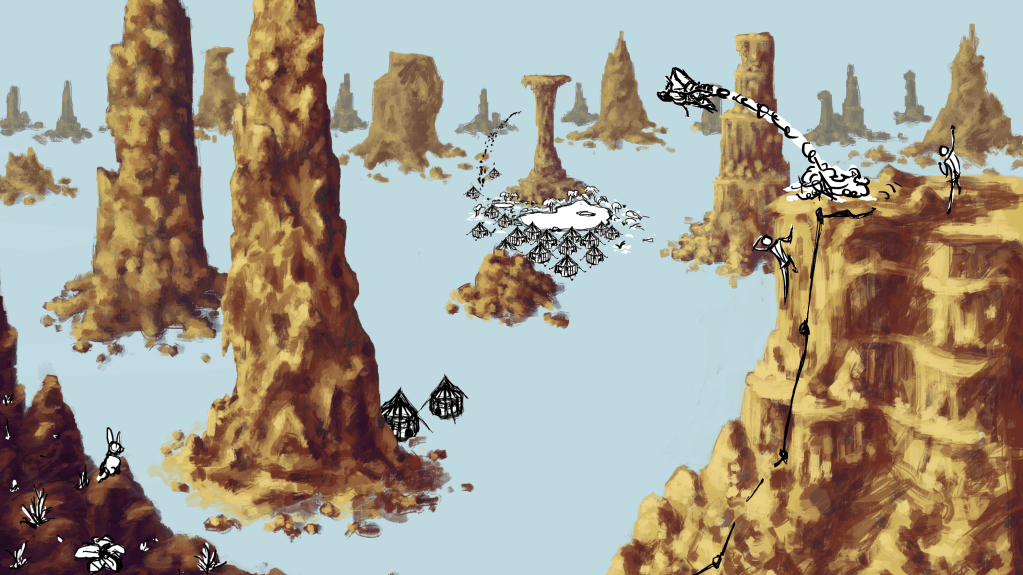
As you can see from the above work-in-progress image I’m first focusing on blocking in the main spires and areas of stone. I always enjoying painting rocky surfaces like cliffs because you can be so loose with it. I tend to just scribble in patches of light and dark and then gradually tighten it up from there letting the random patches of colour dictate the shapes of the rocks. I really try to get a good range of hues in at this point focusing more on the colour choices and overall shapes and composition. With desert style rocks I like to go for vibrant reds and oranges as the base then use yellows for the highlights and purples and blues for the shadows. You can also see I’ve sketched in where I want some of the key focal points to be, I tend to feel like composition is one of my biggest weaknesses so it’s something I’m trying to experiment with more and more. In this case I’m using the classic golden ratio also known as the Fibonacci sequence / spiral as a starting point and building variation and complexity from there, while also relying on the spires to create a strong sense of depth.
-
Been really absorbed in New World since the Rise of the Angry Earth expansion came out but wanted to post an update on some 3D practice I’ve been doing. Actually started this maybe a year ago but only been working on it one small bit at a time, with lots of other projects, work stuff, life things, and games taking up all my time in between.
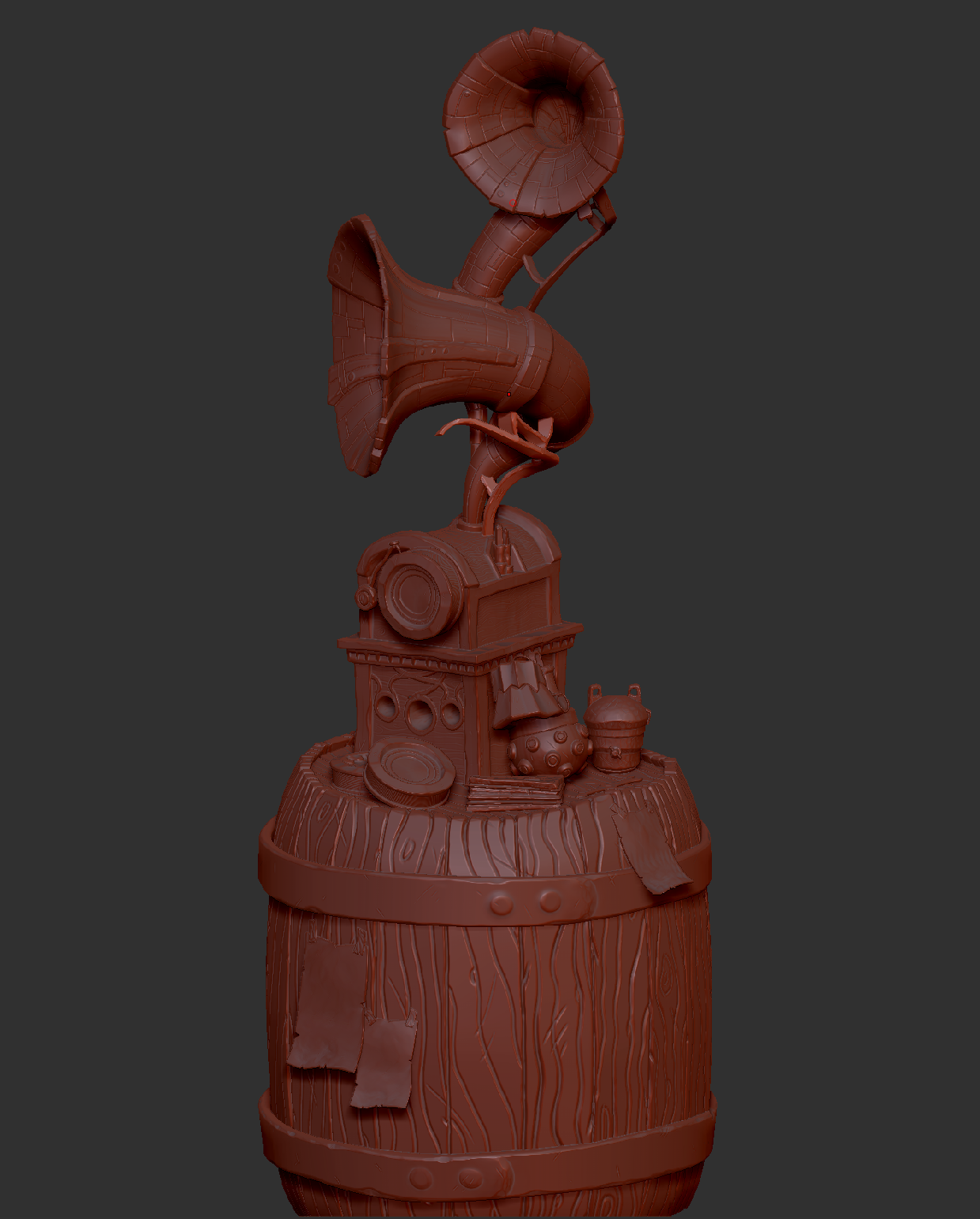
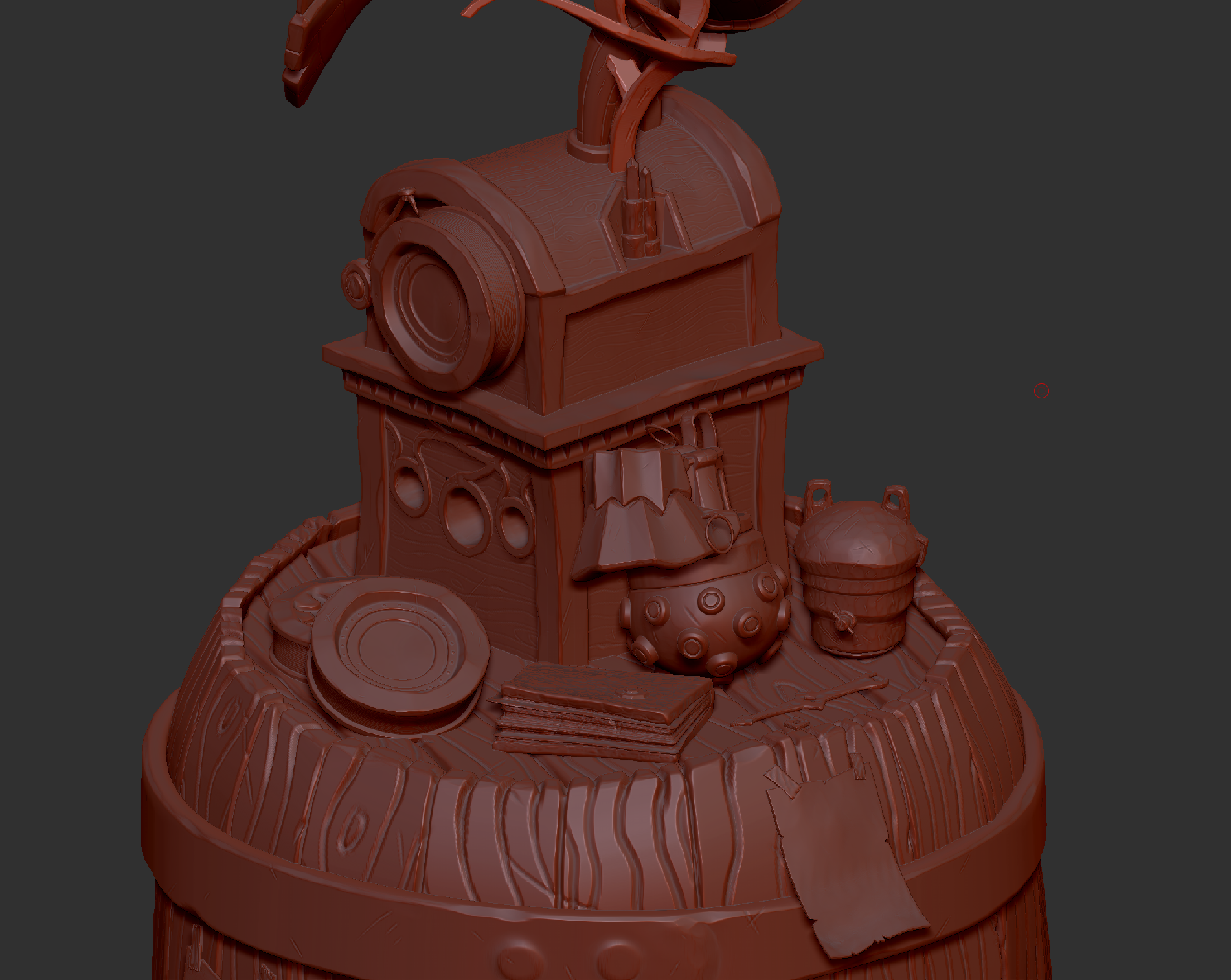
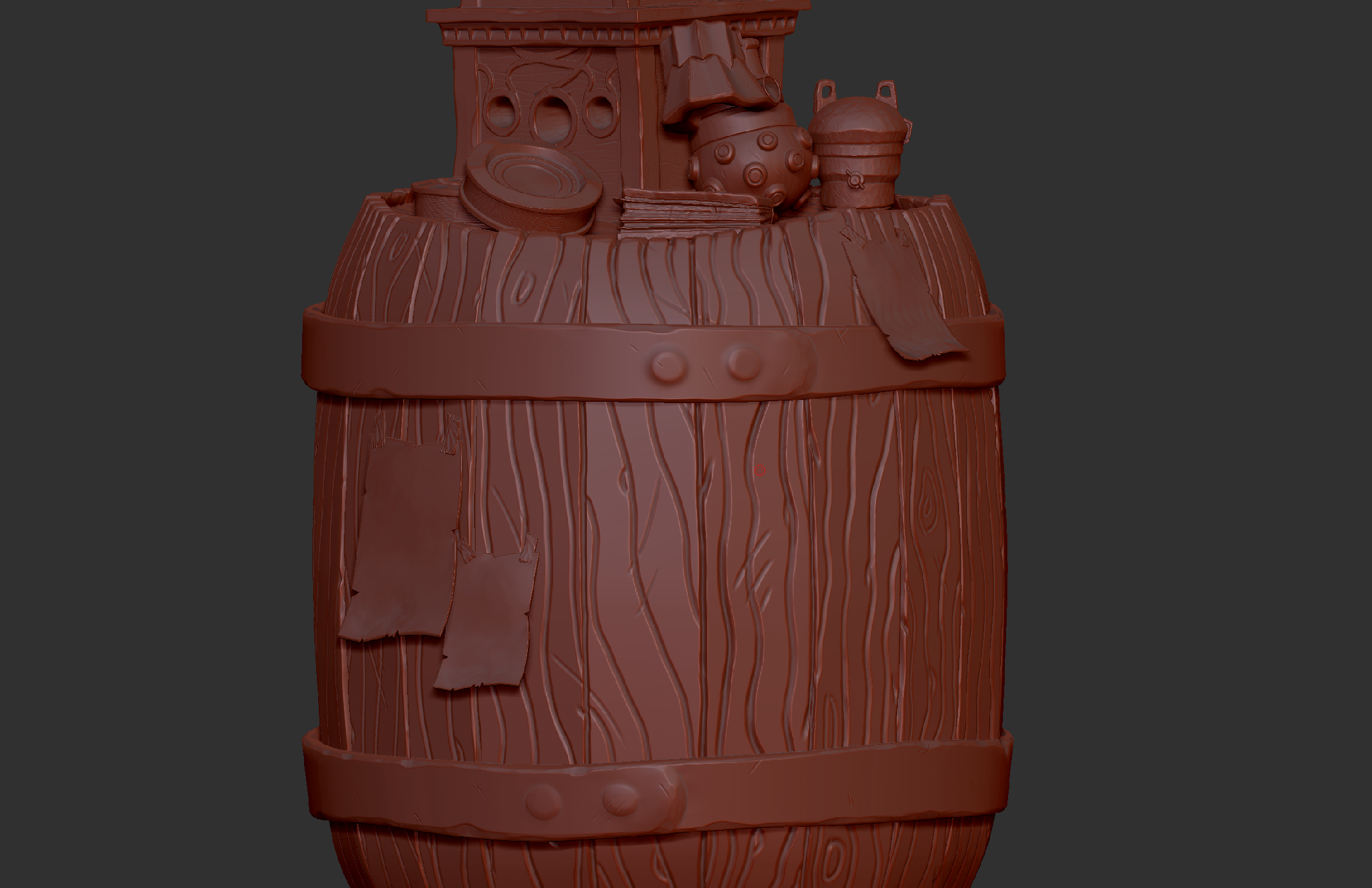
Above is the high poly sculpt in ZBrush. You might recognise it as being based on objects from the Arcane animation series, the biggest and most obvious object being the record player/gramophone. Along with one of Powder’s bombs, one of Jinx’s bombs, and a few other smaller items.
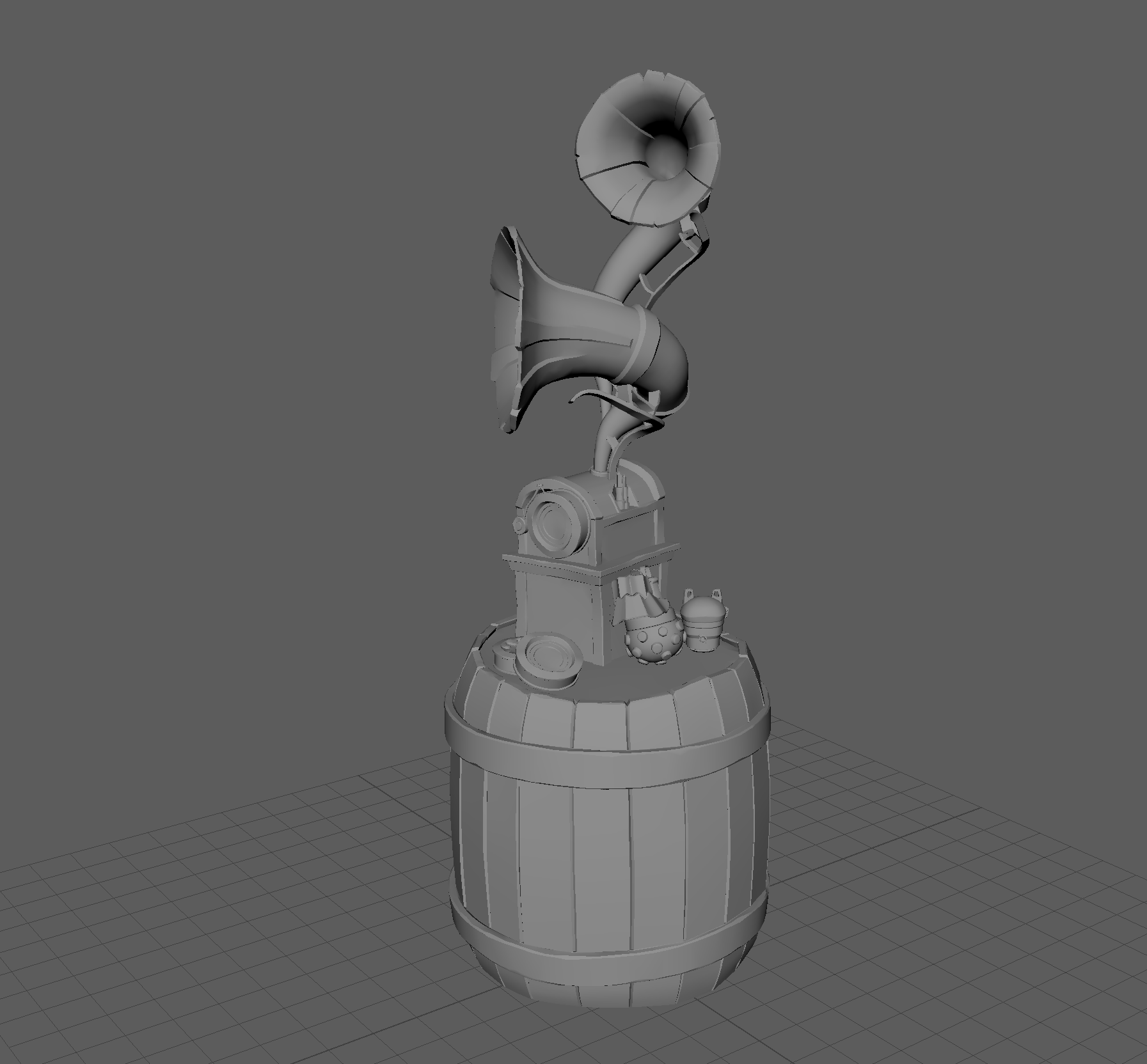
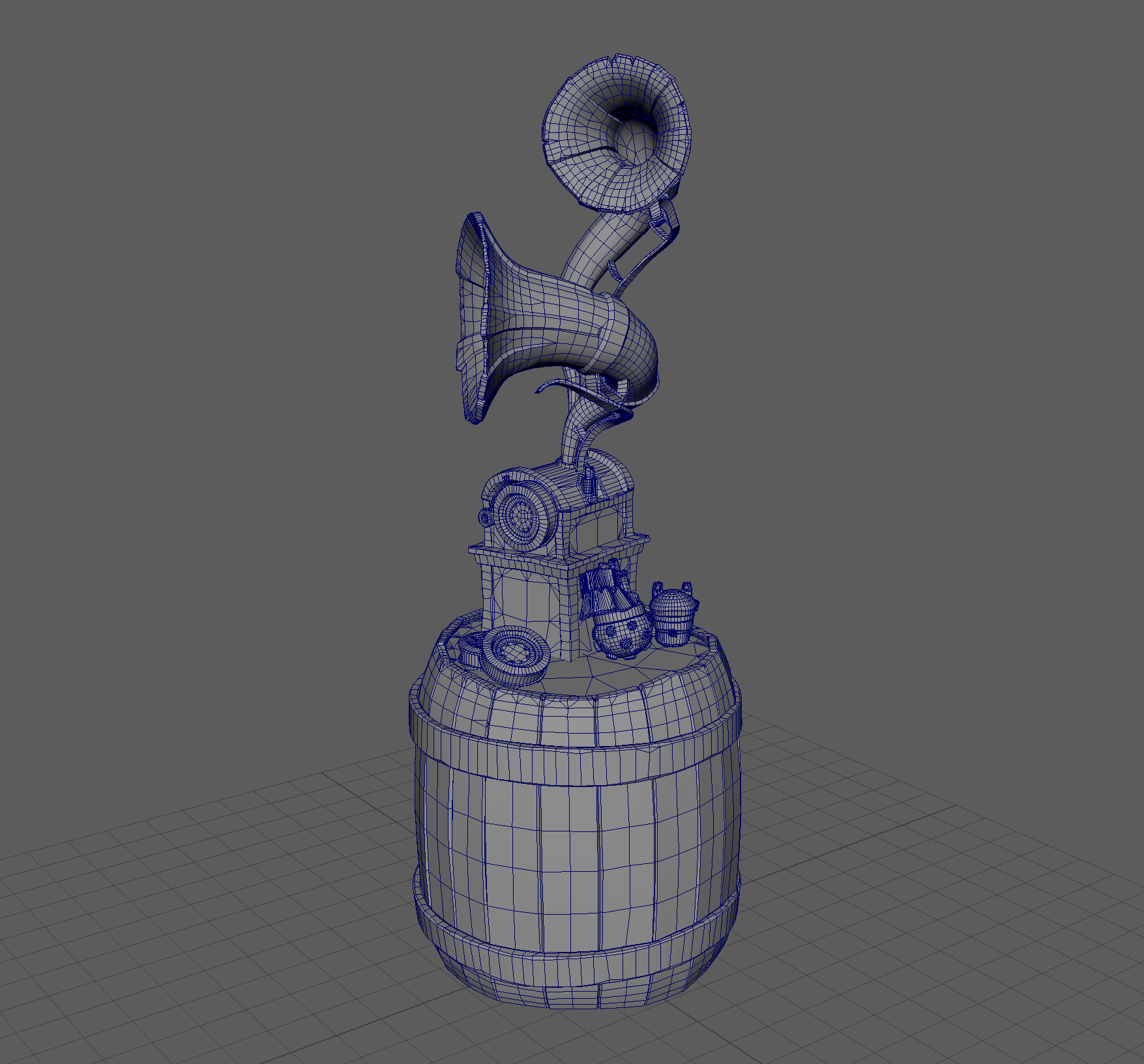
Currently I’m in the process of creating the low poly version, which is nearly done. Can’t wait to get this to the texturing phase, I think it’ll be a lot of fun to give the hand painted style a try.
-
My productivity on personal projects has plummeted recently with all the big (and obscure) new releases. I was happy playing a bit of Death Stranding between working on my side projects but now I’m stuck trying to balance Baldur’s Gate 3 (which is amazingly good), a new Path of Exile league, Palia (an interesting “cosy” MMO-ish game with no combat). While fighting the urge to also get Armoured Core VI, and Starfield, which I’m dying to play. Still wanting to fit in my second play through of Death Stranding. Also knowing that soon we’ll have the Cyberpunk expansion, more Age of Empires IV content, maybe some Stormgate, the new RTS from Frost Giant Games. And probably more that I’m forgetting. I was already far behind on the games front, but now that backlog is getting bigger and bigger and I’m getting far too distracted from working on my own games and side projects. Can everyone in the industry just slow down a bit please, give everyone a chance to catch up a bit, thanks.
oh and I’ve started playing It Takes Two with my partner again, which I’d highly recommend. Great co-op game, not that I think there’s anyone out there that doesn’t already know that.
Anyway, back to D&D questing, tending to my crops and mining, slaughtering 1000s of enemies clearing maps, delivering parcels in an apocalyptic world, blowing up mechs, being a space pirate, fighting medieval wars, solving puzzles as a miniature clay doll, and maybe just maybe doing a bit of programming on side projects and finding the time to do some art practice.
-
With the release of the Xbox version of Age of Empires IV I am now free to talk about the work I did bringing the RTS game to Xbox and on developing a whole new UI for the game.
I’ve been a fan of the PC game since release so it was exciting getting to work on the Xbox version and play a small part in a long running, iconic video game series.
It’s certainly been a fun yet challenging project to work on, lots of complexity, and lots of edge cases. As a senior programmer on the UI team I got to build the foundations for some very key parts of the UI, including the radial menu. A lot of time and effort was spent making sure the core UI features were fast, responsive, and intuitive to use. Being a competitive RTS meant there was no room for delays/hangs or for the design to be confusing. I think in the end we managed to achieve this.
I’ll go into a lot more detail in a future post (which you can now find here) but while I’m writing that up I just wanted to make a quick post to celebrate the release of Age of Empires IV on Xbox.
gl and hf.
-
I’ve been working on a personal project for a little while (started late last year) using Game Maker to build a real-time strategy game for the GX games platform (formerly Opera GX). It’s a great new platform for web based games that I think has a lot of potential, and it reminds me of the old Flash days when hobbyists could easily share their quirky experimental games. Which also just so happens to be how I started my game dev career (that and tinkering with a very early version of the unreal engine making Unreal Tournament maps).
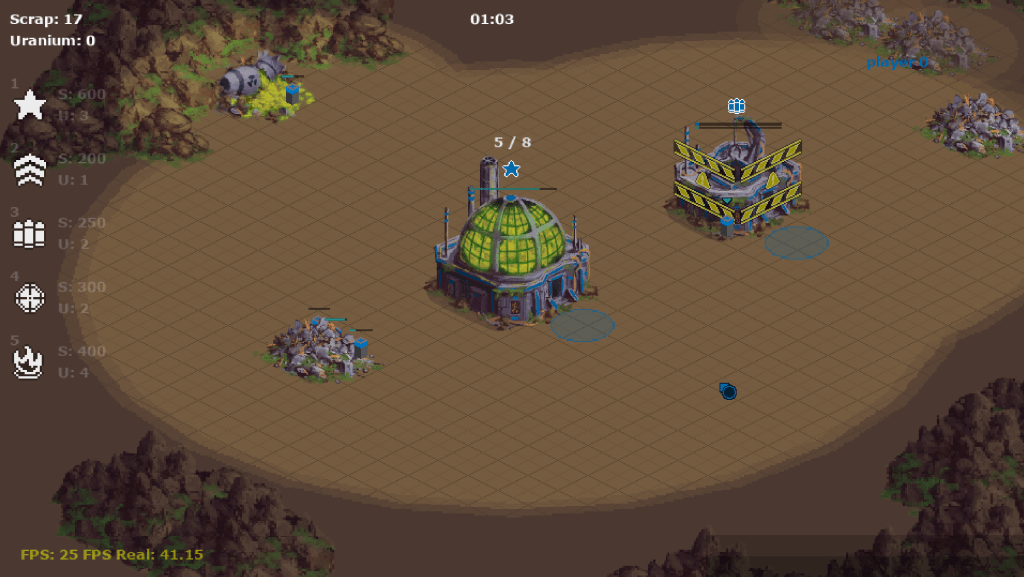
The game itself is based on a jam game I made for the same platform, taking inspiration from well known sci-fi RTS games like Command and Conquer, Star Craft, and Supreme Commander. Mixing in elements of management games where logistics are an important part of the gameplay. The aim is to focus more on combat and micro-ing units with the economic or macro side being a smaller part of the game. Thanks to the GX games platform having a built-in multiplayer solution with rollback support I’ll be able to build this as a competitive game first. Though I do also plan on adding options for single player.
Visually I’m aiming for something akin to a mix between Dune, Blade Runner, Akira, the works of H.R. Giger and of course the previously mentioned RTS games. Imagine lots of sand, brutalist architecture, destroyed cities, barren wastelands, chunky mechs, strange mutated creatures, and sci-fi tech.
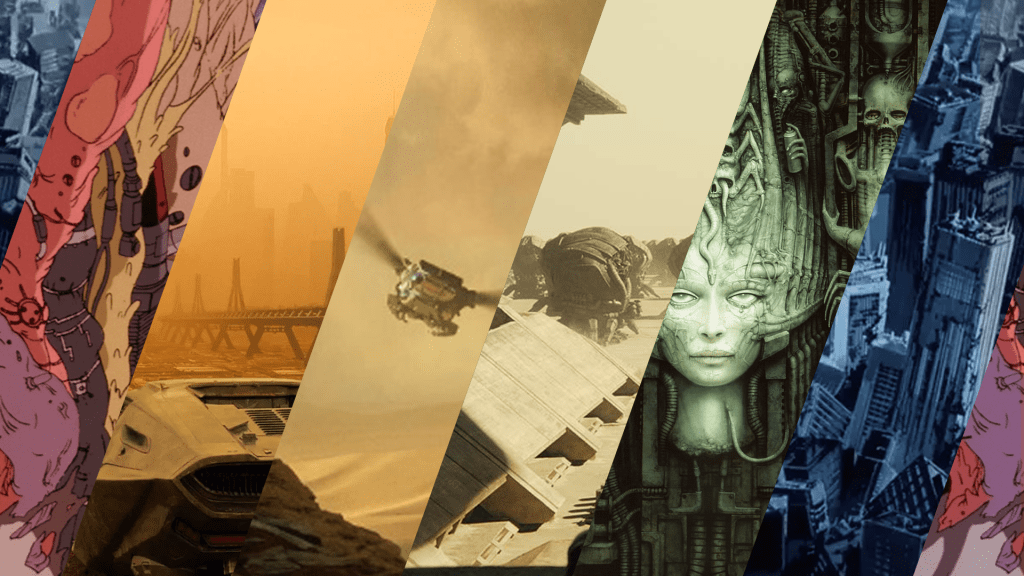
Story-wise the premise is of a barren world, long abandoned by those that resided there, crumbling, rusting, turning to dust. All that lingers are the mutated violent creatures evolved as an amalgamation of the remnants of what was. Along with the robotic drones left behind by civilisation, fragmented, and condemned by their programming to forever pick at what resources are available, endlessly gathering, building, and destroying anything they perceive as a threat.
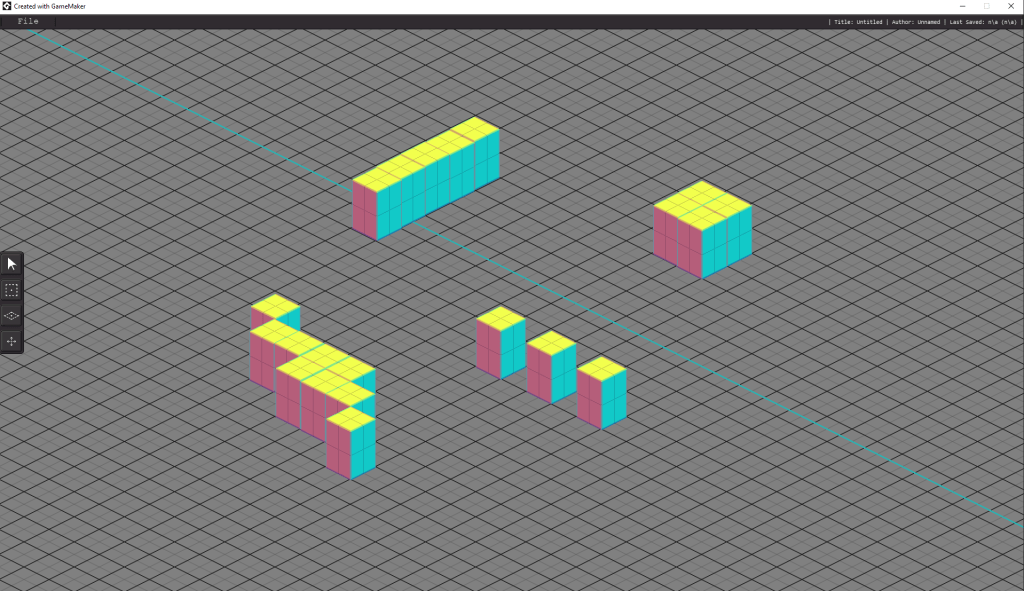
Admittedly I’m not looking to reinvent the wheel, just hopefully make a good game that draws from the long tradition of the RTS genre. Currently there’s not much to show off, the priority has been to build the tools and back end code I’ll need to then make the game. It’s a slow stage in the game development cycle, lots of work with little to show off but it’s worth getting the foundations right before attempting to build anything on top of them. Here’s just a small little peak at a quick test of the map editor for now until there’s more to show off later.
-
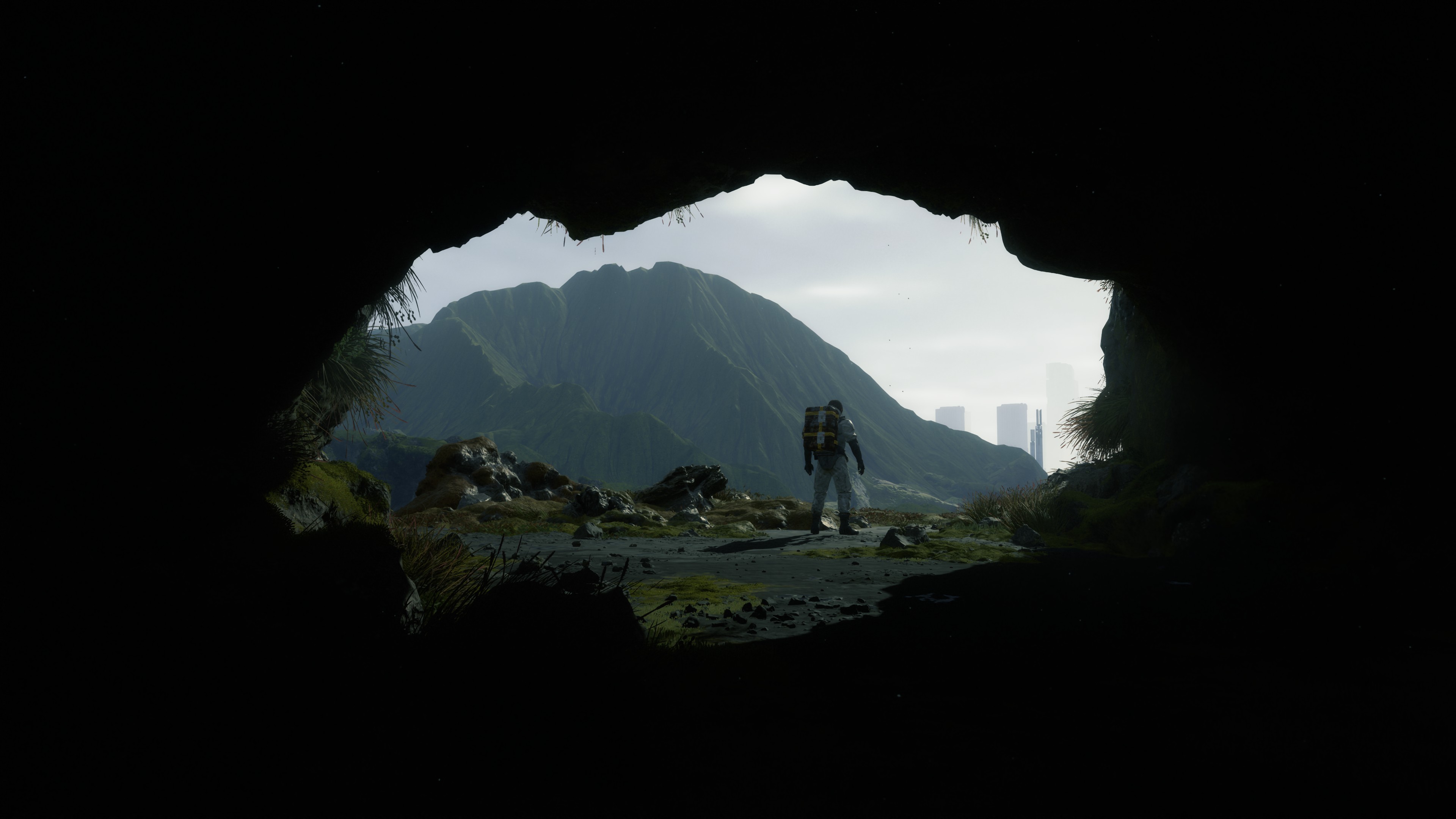
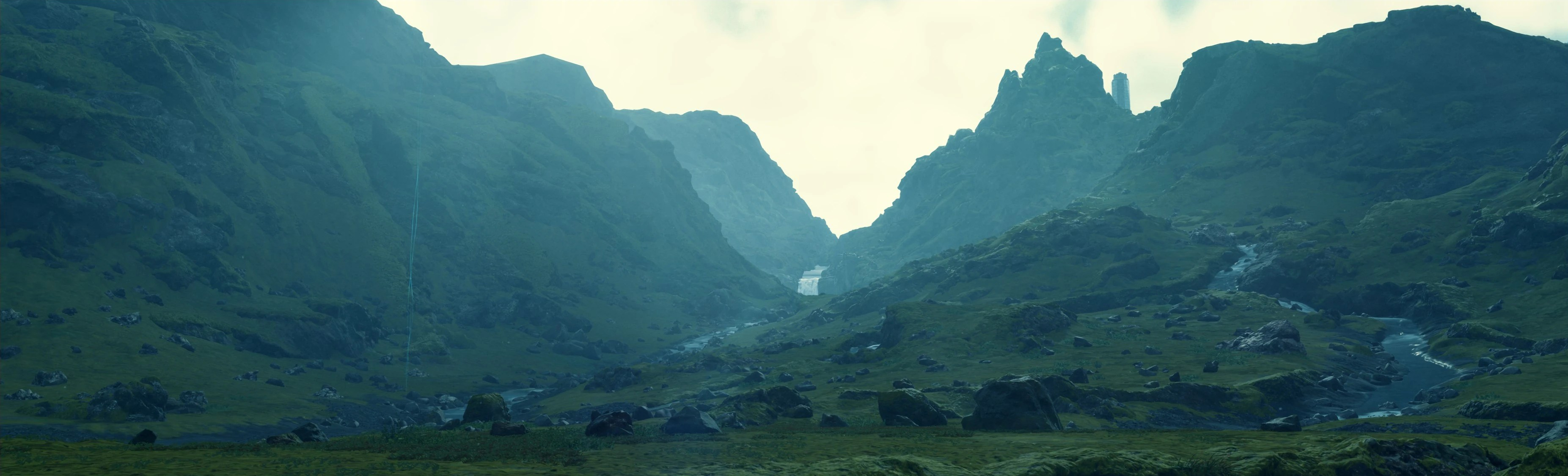
Feels like now is a good time for a second playthrough of Death Stranding, loved this game the first time around but never finished it and this will be the first time playing the directors cut.
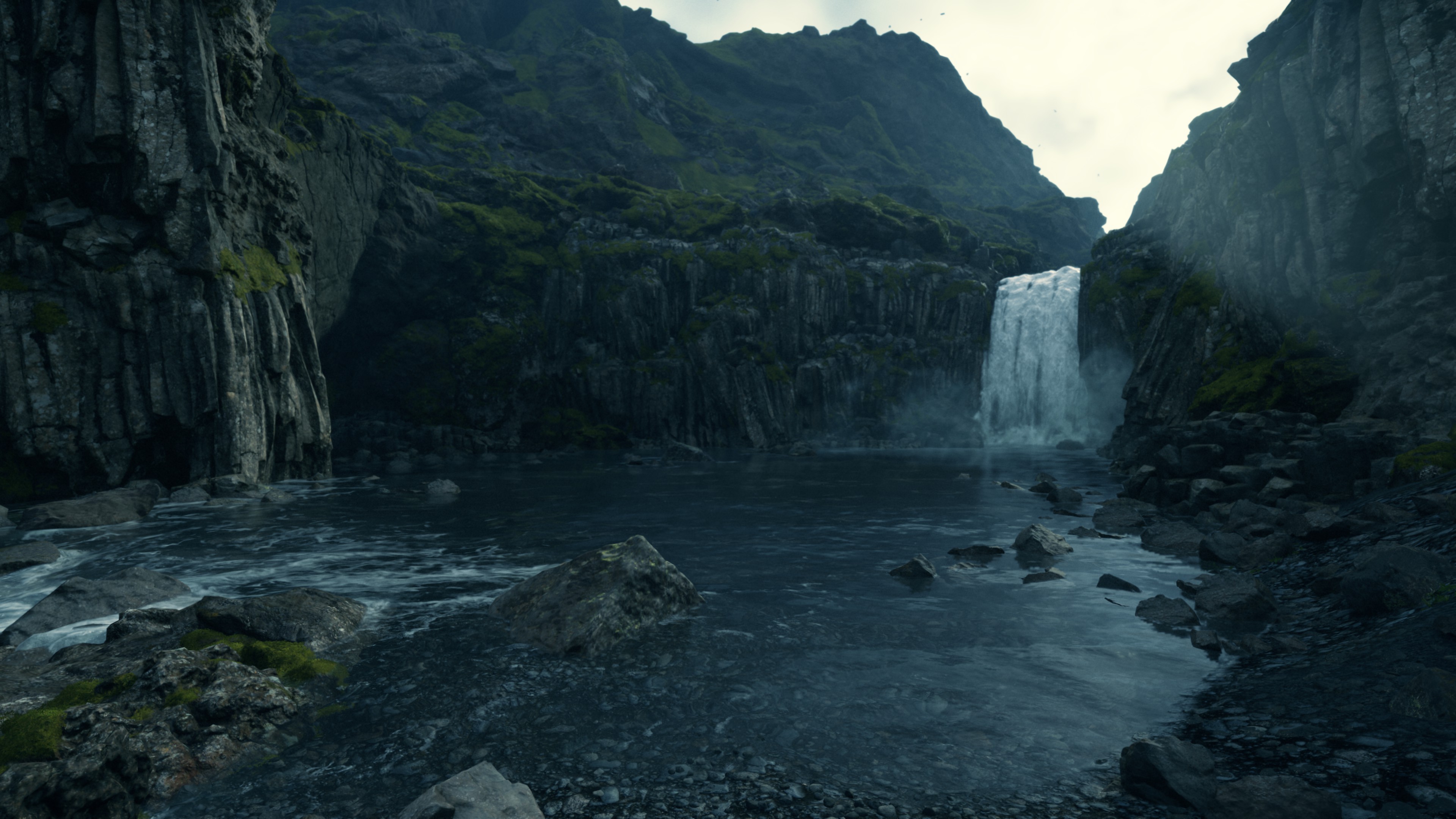
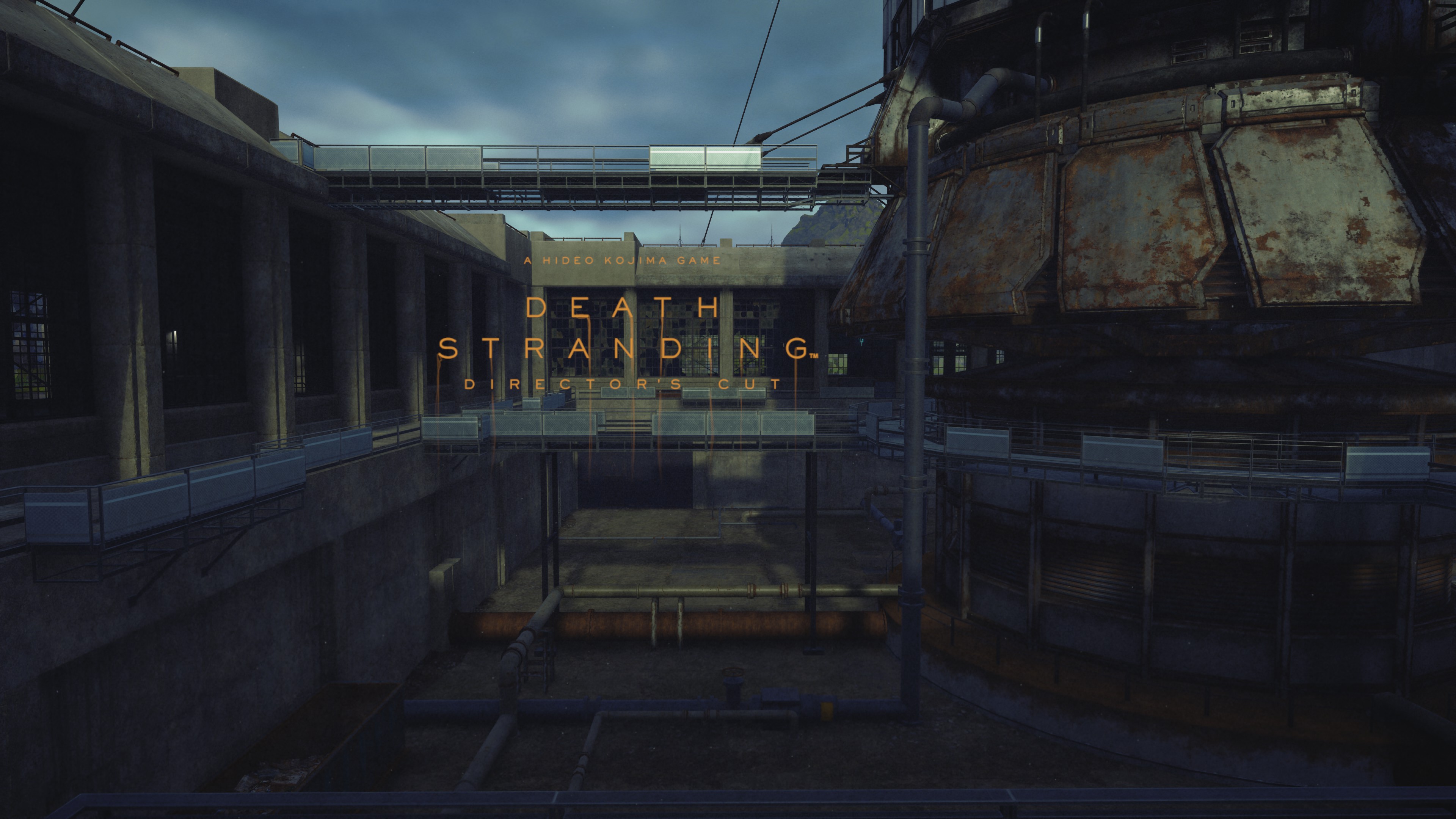
Can see myself spending many many hours just playing with the photo mode. Here’s a few I’ve already taken.
-
I’ve had a few blogs before but for a good while now I’ve mostly been using twitter to throw my thoughts into the void, and places like Art Station + Deviant Art as portfolios. With all of the changes happening on those sites, with the flooding of “AI” generated content, plus all the usual click bait and rage bait posts I’ve finally decided I’ve had enough of it all and I’m back to old school blogging again.
I intend to use this place for a mix of things, partly a replacement for twitter as somewhere to put any random thoughts I feel like putting in writing, a place to post larger form research, and as a portfolio. Content wise it’s mostly going to be game development related, programming, art, 2D, 3D, design, etc and maybe a couple of other things thrown into the mix on occasion.


 Craig Richardson